Colors
New Design
Old Design
Primary Black
#151610
Muted Silver
#C3C3C3
Gunmetal
#2A2E38
Moonstone Blue
#78A6B8
Honey Flower
#512D6C
Bright Ube
#CCA6E9
Pale Purple
#B48ECF
White
#FFFFFF
Sprout
#BCD6AC
Phthalo Green
#123121
Forest Green
#3E6837
Typography
Inter
lato extrabold
Orbitron Black 75
Inter Medium
Lato Regular
Lato Semibold
Buttons + Icons
See More
+ Watchlist
Login
Sign up
User
SORT BY
Genre
Year
Popular
Rating
Age rating
Drama

+ New List
Delete
Rate
9.3/10 (83K)
Family
Fantasy
Animation
Add to Watchlist
Watch Trailer
See all 1.4K
Review
MO’FLIX
MotionFlix
Role
Lead Product Designer, Front End Developer
Duration
Mar. 2024 - May. 2024
Tools
VS Code, Figma, Balsamiq
Team
MotionFlix 3 Person Design Team
component #1
1440 x 1024
1
5
MO’FLIX
Home
Browsing
Trivia
My Library
Login
Sign up
MO’FLIX
Home
Browsing
Trivia
My Library
Login
Sign up
User
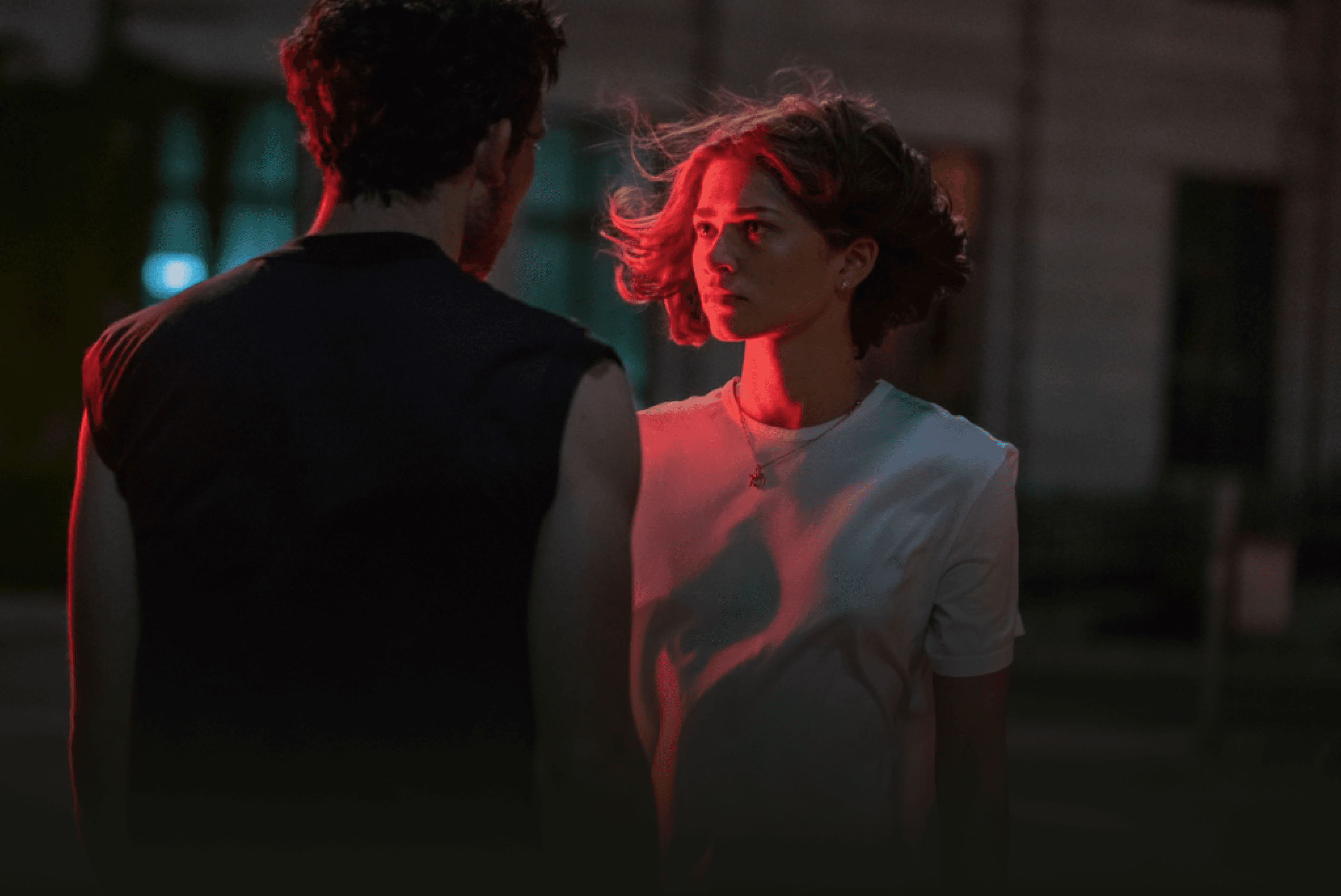
CHALLENGERS
By Luca Guadagnino
2024
132 mins
Featured Movies of the week
See More
+ Watchlist
component #2
1440 x 1024
MO’FLIX
Home
Browsing
Trivia
My Library
Login
Sign up
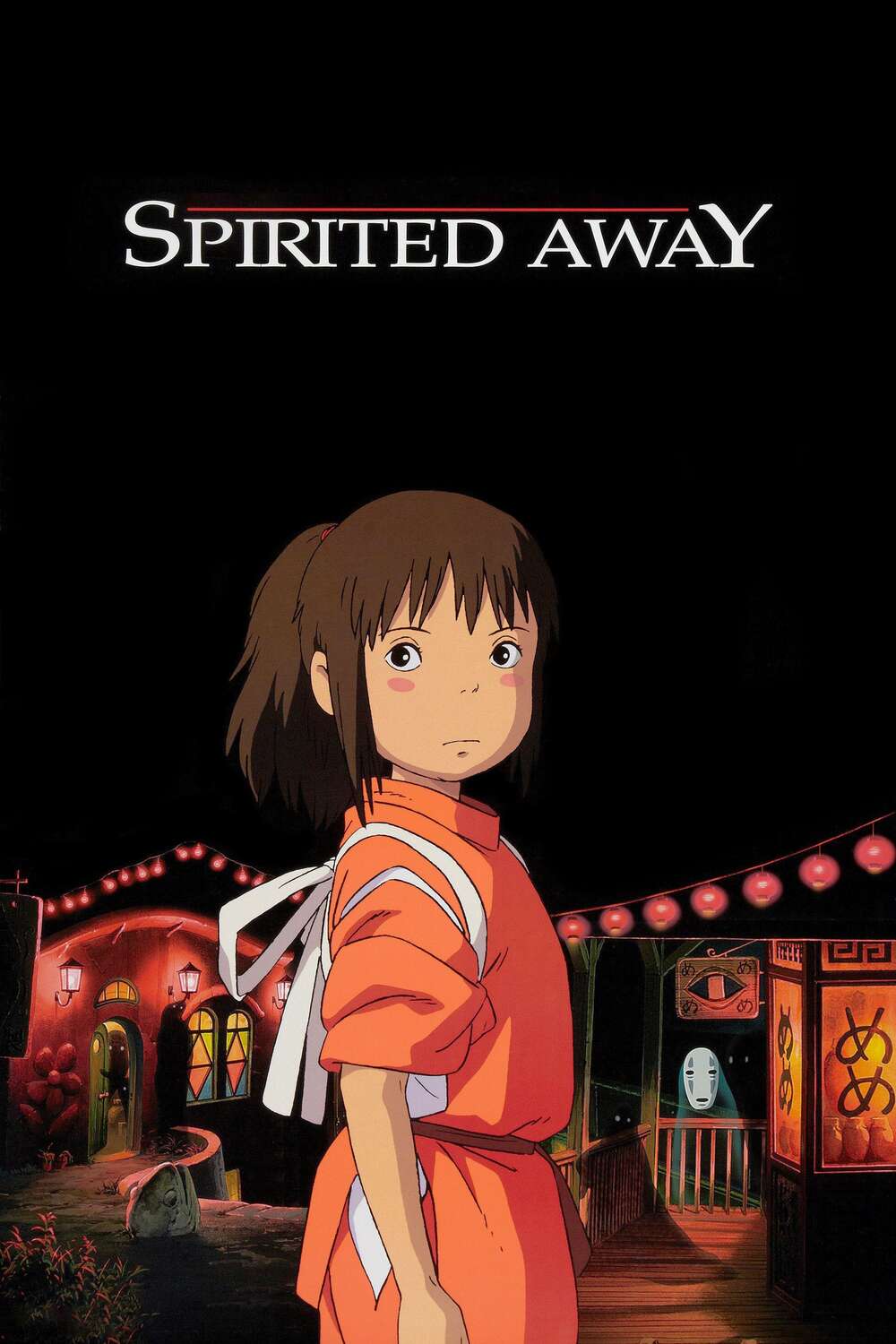
Spirited Away
Family
Fantasy
Animation
Directed by Hayao Miyazaki
Studio: Studio Ghibli
User
2001
PG
2h 5m
A young girl, Chihiro, becomes trapped in a strange new world of spirits. When her parents undergo a mysterious transformation, she must call upon the courage she never knew she had to free her family.
Add to Watchlist
Watch Trailer
Cast
Rumi Hiiragi, Miyu Irino, Mari Natsuki, Takashi Naito, ...
Crew
Hayao Miyazaki, Toshio Suzuki, ...
Rate
9.3/10 (83K)
User Reviews
See all 1.4K
Review
10/10
Truly One Of The Best Animations Made In History. Period point blank!!
username
27 Aug 2024
I imagine that there’s not much that hasn’t been said about this film since its release 23 years ago. However, as a young adult in an age still rife of cultural dissonance and sporadic, economic disparity, I found that the longer Chihiro navigated this world of myth, magic, and (over)consumption, the more Chihiro’s journey even now mirrors our own.
210
Helpful
10/10
My Stress Reliever As I’m Job Hunting Right Now
username
24 Aug 2024
Rewatch it all the time when I’m feeling stressed out (which I am lol). I’m biased since it’s my childhood movie.
210
Helpful
210
component #3
1440 x 1024

MO’FLIX
Home
Browsing
Trivia
My Library
Login
Sign up
MO’FLIX
Home
Browsing
Trivia
My Library
Login
Sign up
User
Quiz your Movie Knowledge
Test your film knowledge by taking one of the many available trivia games on Mo’Flix.
General Movie Trivia
Easy
Medium
Hard
Discover by Category
Adventure
Action
Comedy
Documentary
Drama
Family
Fantasy
History
Horror
Crime


Musical
Mystery
Romance
Sci-Fi
Thriller
Western
War
European
Animation
Spanish


MotionFlix
MARCH 2024
University UX/UI Design Project
Enhancing the movie experience to engage users in discovering, exploring, and learning about their favorite films
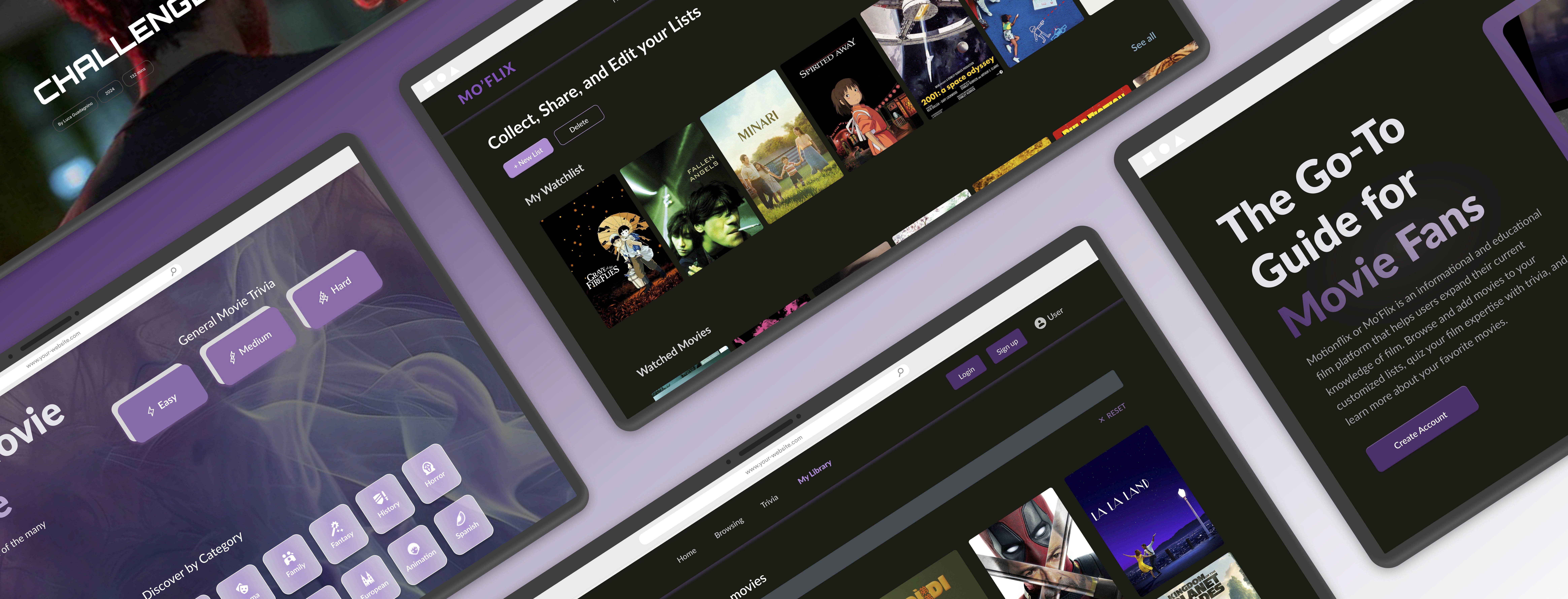
Motionflix or Mo’Flix is an informational and educational film platform that helps users expand their current knowledge of film. Browse and add movies to your customized lists, quiz your film expertise with trivia, and learn more about your favorite movies.
As part of the Human-Computer Interaction course,
my team and I researched, programmed, and designed MotionFlix.
Overview
My Role
Product Designer, Front End Developer
Timeline
Mar. 2024 - May. 2024
Team
MotionFlix 3 Person Design Team
Tools
VS Code, Figma, Balsamiq
Problem
With the proliferation of streaming services, the film industry has become more accessible but also overwhelming, particularly for newcomers. How might we help users easily discover and evaluate films across streaming platforms—so they can quickly understand availability, key details, and suitability, and enjoy a smoother decision-making experience?
The platform features a simple, intuitive design that minimizes the learning curve, making it accessible to a wide audience. Our application encourages users to stay engaged through interactive elements such as the trivia section as a form of applying their newfound film knowledge or creating personalized lists to keep track of the films they’ve watched.
Solution
The Approach
01
Research
Target Potential Users
User Interviews
Establish Requirements
Personas
Competitive Assessments
02
Design
Sketching/Lo-fi Prototypes
Cognitive Walkthrough
User Feedback
Information Architecture
Interactive Prototype
03
Evaluate
Usability Test
NASA-TLX/SUS Score
Design Iterations
Takeaways
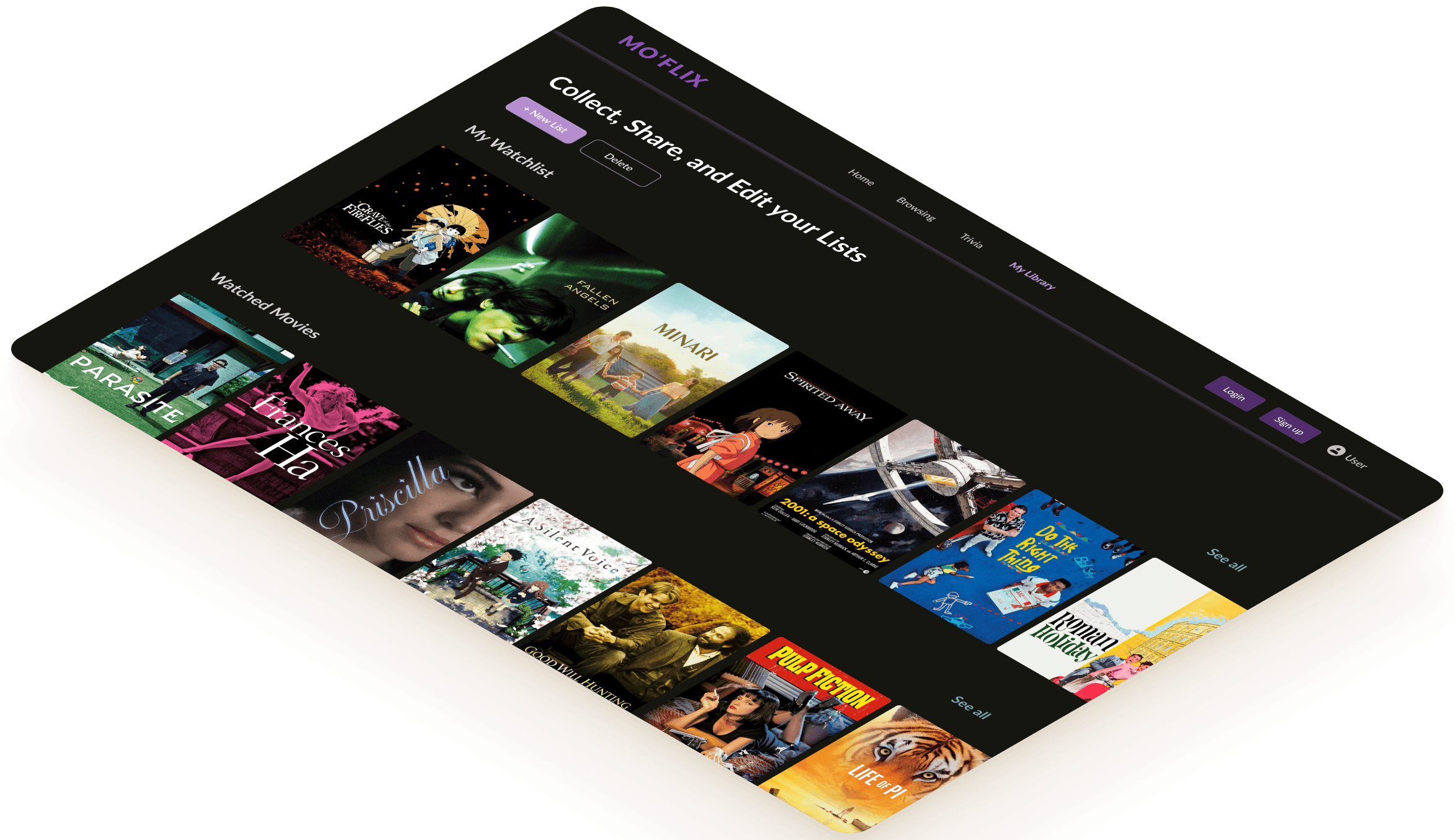
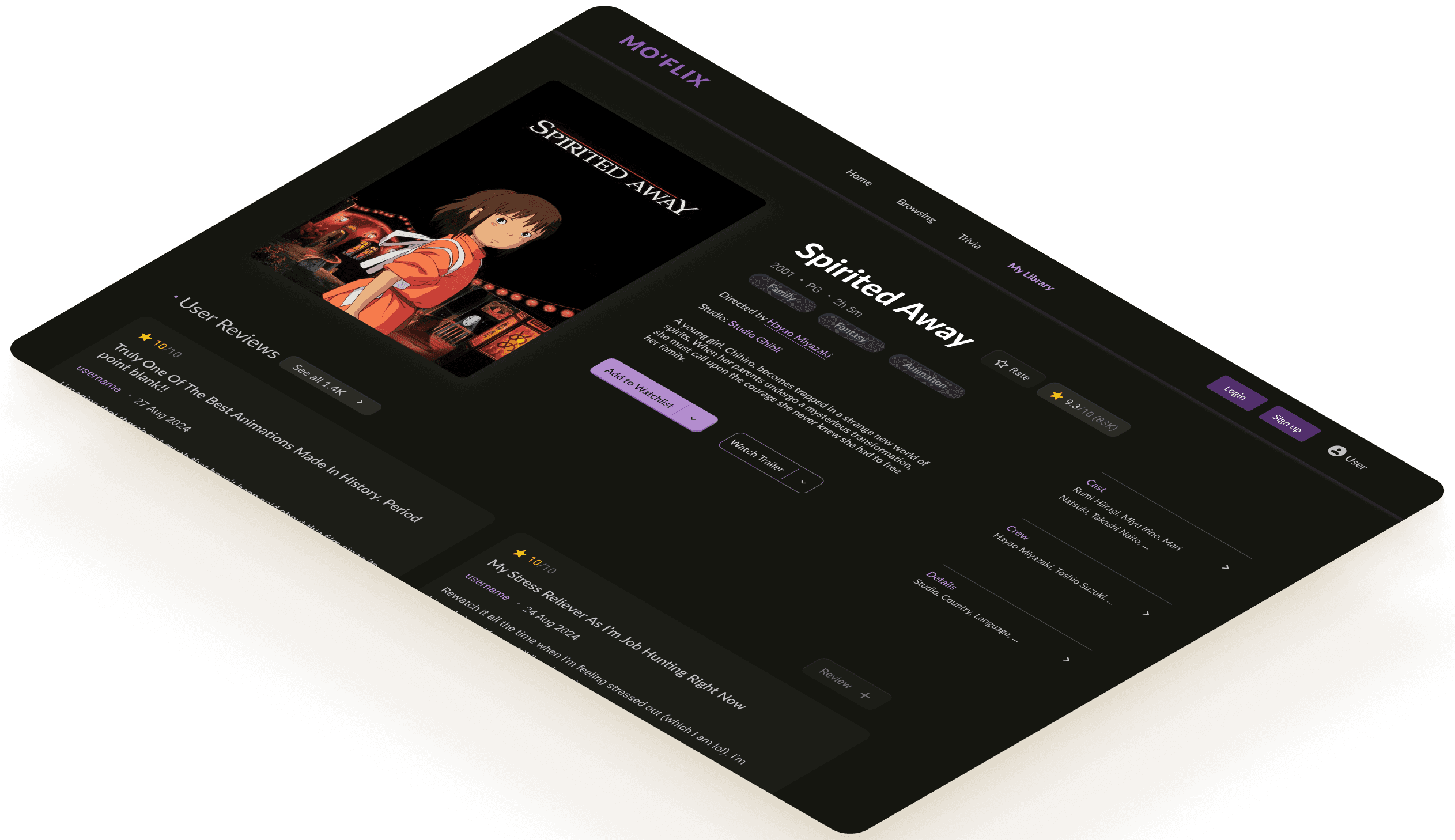
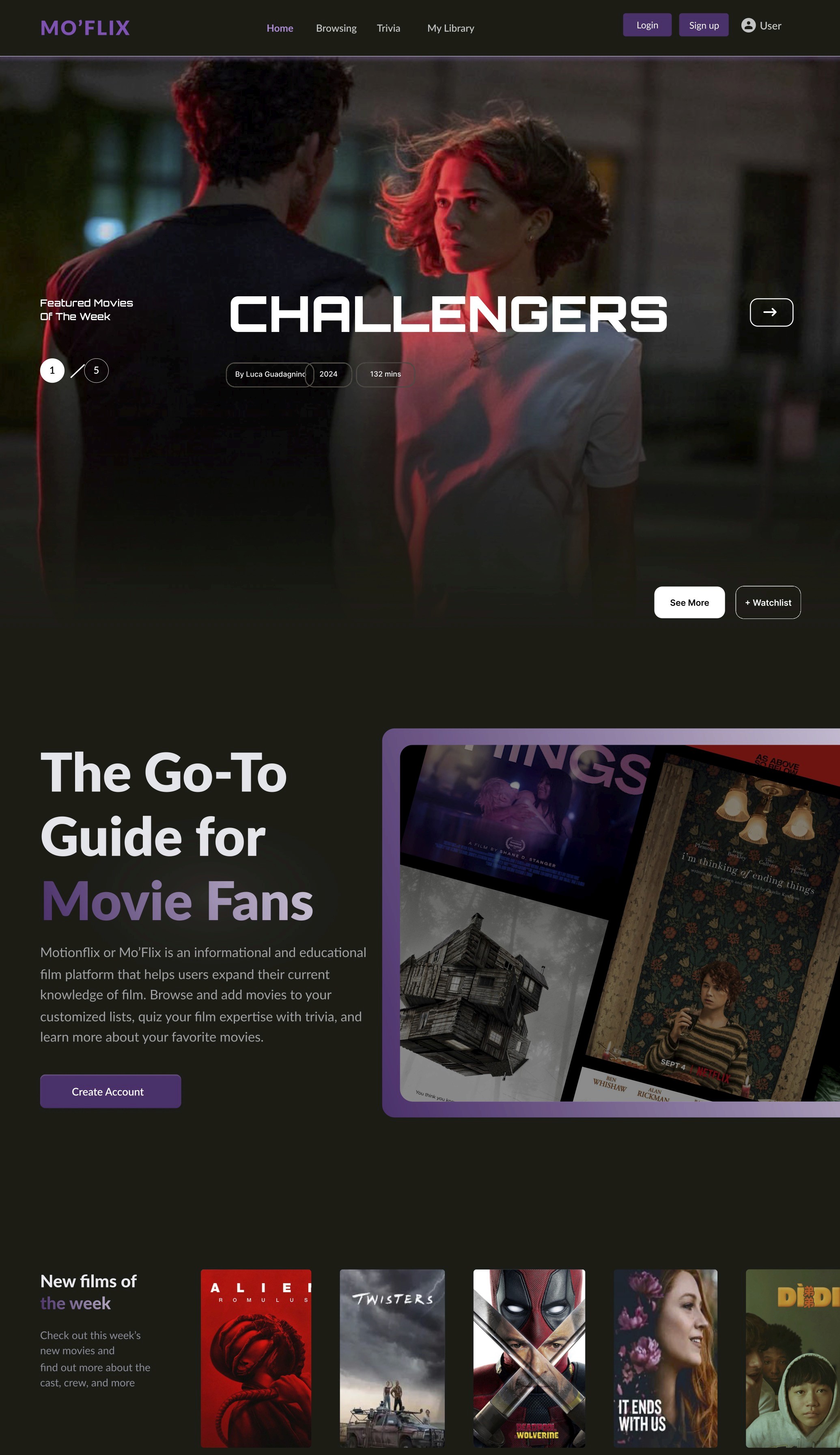
By placing the most sought-after information upfront, users can immediately connect with the content that matters most, while the overall design remains clean and approachable, allowing for a seamless browsing experience without unnecessary clutter.
Easy Walkthrough
The layout guides you to specific information without overwhelming you
offering a mix of both timeless classics and the latest releases, the browsing page remains fresh and diverse, catering to a wide range of tastes and interests. Whether you're in the mood for an old favorite or eager to explore something new, there's always something worth discovering.
Stay Up-to-Date
Jump into exploring new movies added every week
New films of the week
Check out this week’s new movies and
find out more about the cast, crew, and more


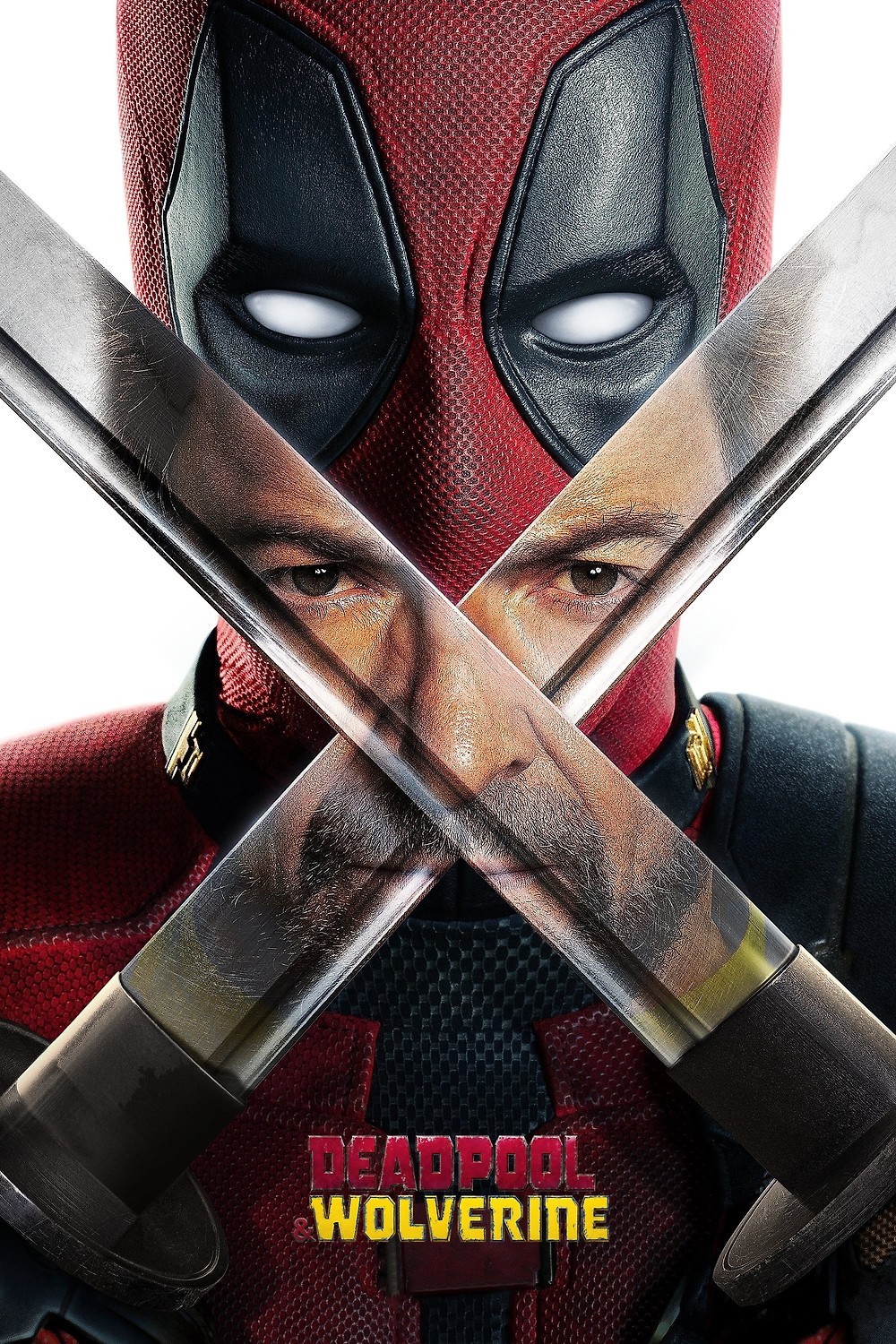
Using various research methodologies, including interviews and surveys, our team aimed to better understand users' first-time experiences with our film-based platform.
RESEARCH
Target Potential Users
In identifying target users, we broke the users into three sections including individuals who aren’t interested in film, film novices, and film buffs. We also parsed through film critic reviews and community based discussion forums on film. These websites contained a spectrum of information regarding user preferences and experience that aided us in developing usability requirements.
User Interviews
Our chosen method of data collection consisted of one-on-one interviews. Each of us conducted two interviews, accumulating in six total from which we could analyze users’ needs. Interviewees were asked about their specific film preferences, their experiences using film-related technology such as streaming services, and their ideas of what would make an educational app most effective. After we conducted our interviews, we discussed our results with each other and created a generalized set of usability requirements.
Requirements
Our usability requirements are based on gathered information from our data analysis. In listing our requirements, we created a hierarchical categorization of “must have”, “could have”, and “should have”.
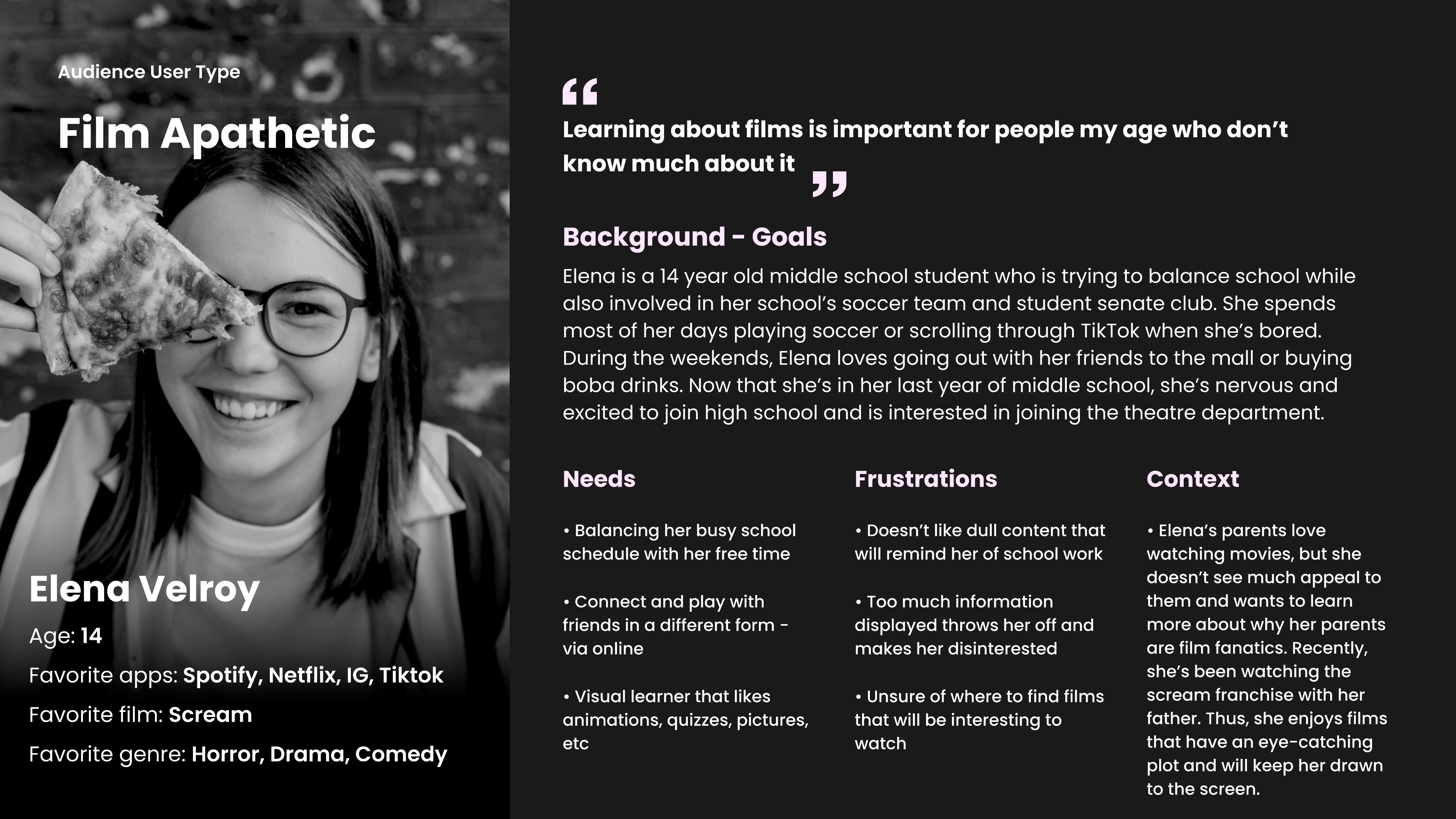
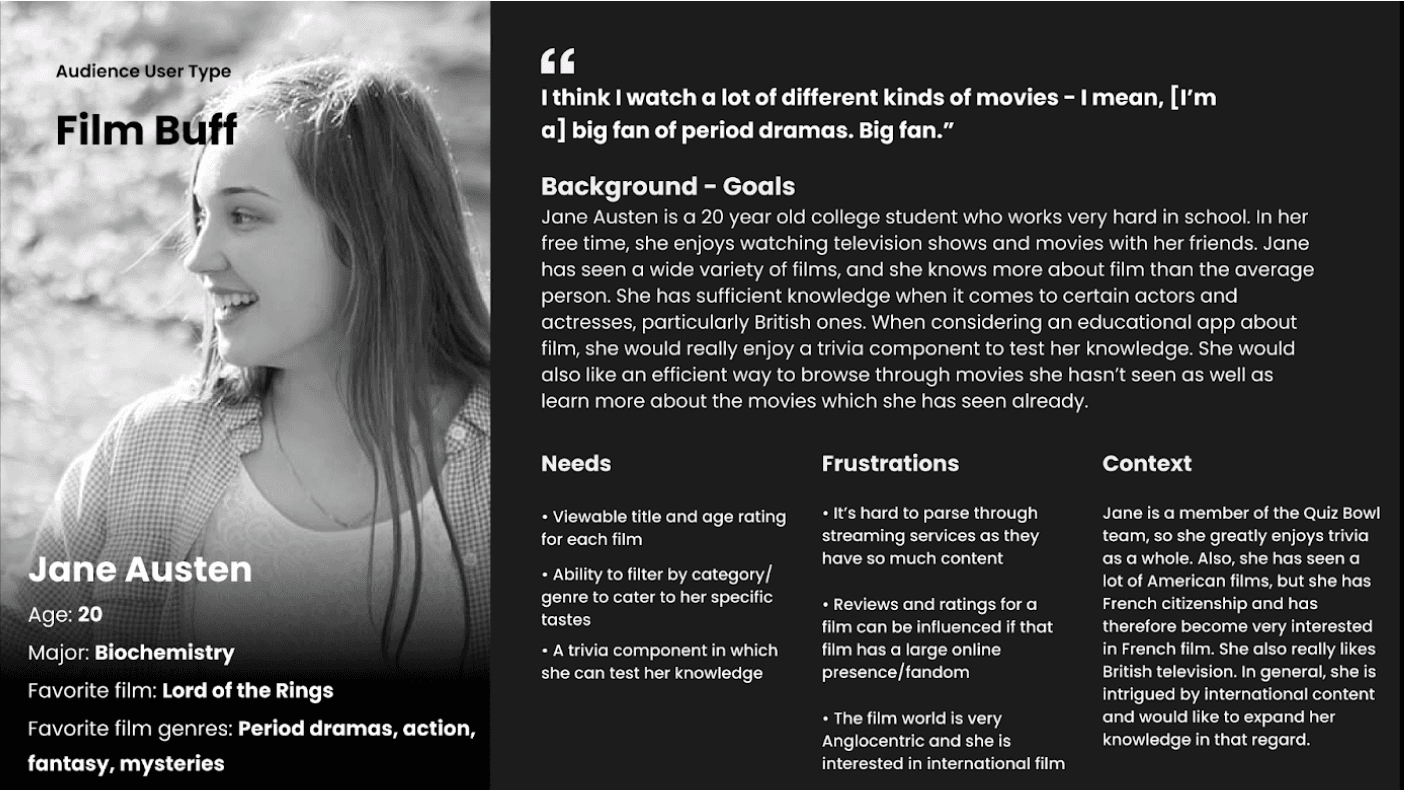
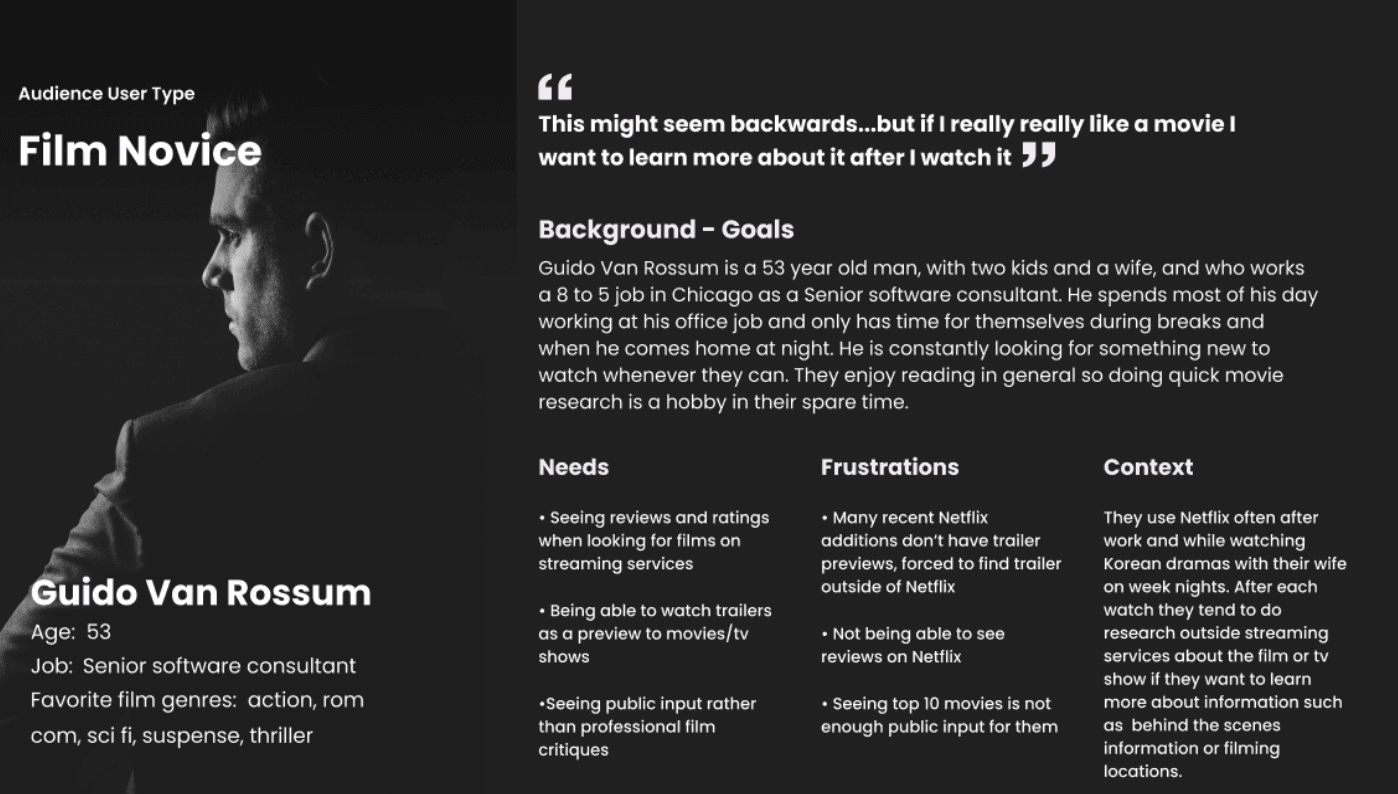
Personas
Based on the observations and interviews done beforehand, the users’ needs, goals, and requirements needed for our technology will be organized in our creation of user personas. The user personas we created will help cater MotionFlix’s general audience and tackle weaknesses needed to be addressed from our requirements.
Competitive Assessments
We started by examining three distinct services—film databases, trivia platforms, and educational resources—to understand how they function independently and identify opportunities to integrate them into a unified platform for our prototype.
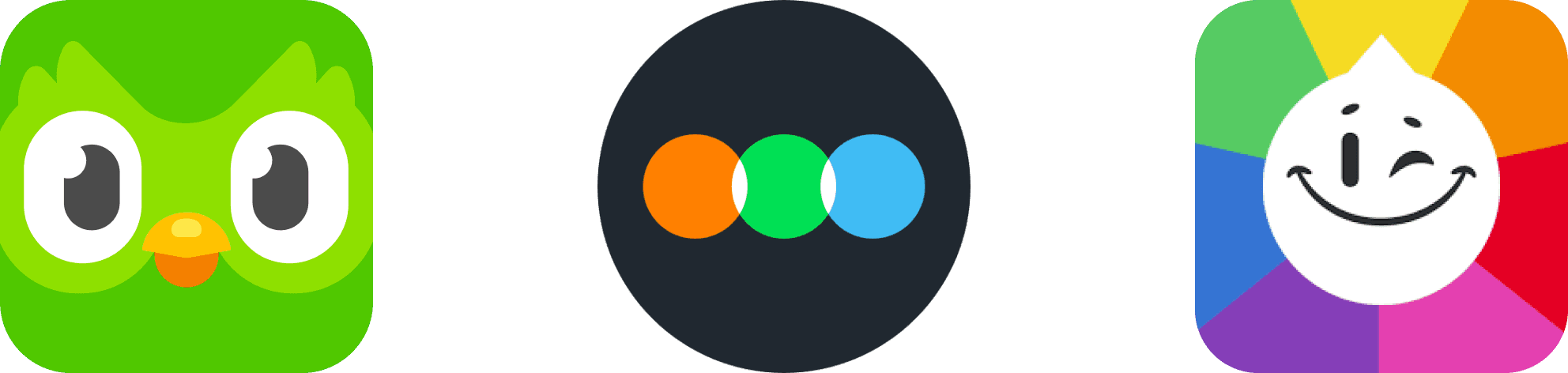
Duolingo: Engagement and Retention, but Concerns about Learning Depth
Duolingo is praised for its gamified approach to language learning, using features like experience points, streaks, and customizable avatars to motivate users.
The app's bite-sized lessons and humorous content are also highlighted as factors contributing to user engagement.
However, the sources also point out potential drawbacks in Duolingo's approach. The repetitive nature of the lessons and the focus on memorization over deep understanding are identified as potential limitations.
Additionally, concerns are raised about the accuracy of translations and the limited feedback provided to users on their mistakes
Letterboxd: Effective Information Display and Social Interaction, but Overly Complex?
Commended for its sleek design, efficient functionality, and strong social media integration
App's visual presentation of film information, including user ratings, is highlighted as a strength
Sources criticize Letterboxd for aspects of its organization and learnability. The "Incoming" tab in the activity interface is singled out as confusing due to its unclear purpose
Extensive range of features, while potentially contributing to interactivity, is also seen as potentially overwhelming for new users
Trivia Crack: Entertainment Value, but Limited Educational Impact and Cluttered Design
Success in combining trivia with social elements, offering a fun and engaging way to test knowledge
Competitive aspect of the app is seen as potentially undermining its educational value, as users may prioritize winning over learning
Inclusion of both gameplay and social media features is also criticized for creating a cluttered user experience and contributing to lag
INTERVIEW TRANSCRIPT
“There’s always that one film that wins awards and they only provide those. I wish they can provide the films that are being left out.”
Interviewee # 3
“When I’m on a website, simplicity is important to me because I feel like if there’s a lot of things [information], it’s gonna be too much for me and I’d rather click away.”
Interviewee # 1
“It would be fun for me to compete and play movie trivia with my friends whenever we are bored of studying. It’s a combination of two things that I like.”
Interviewee # 4
MotionFlix MUST
MotionFlix SHOULD
MotionFlix COULD
We gathered the requirements and needs of our target audience for learning about film to incorporate them into our design and create our low-fidelity prototype.Designing our own individual concepts was the first step in generating ideas for the final low-fidelity prototype.
DESIGN
Sketching + Initial Explorations
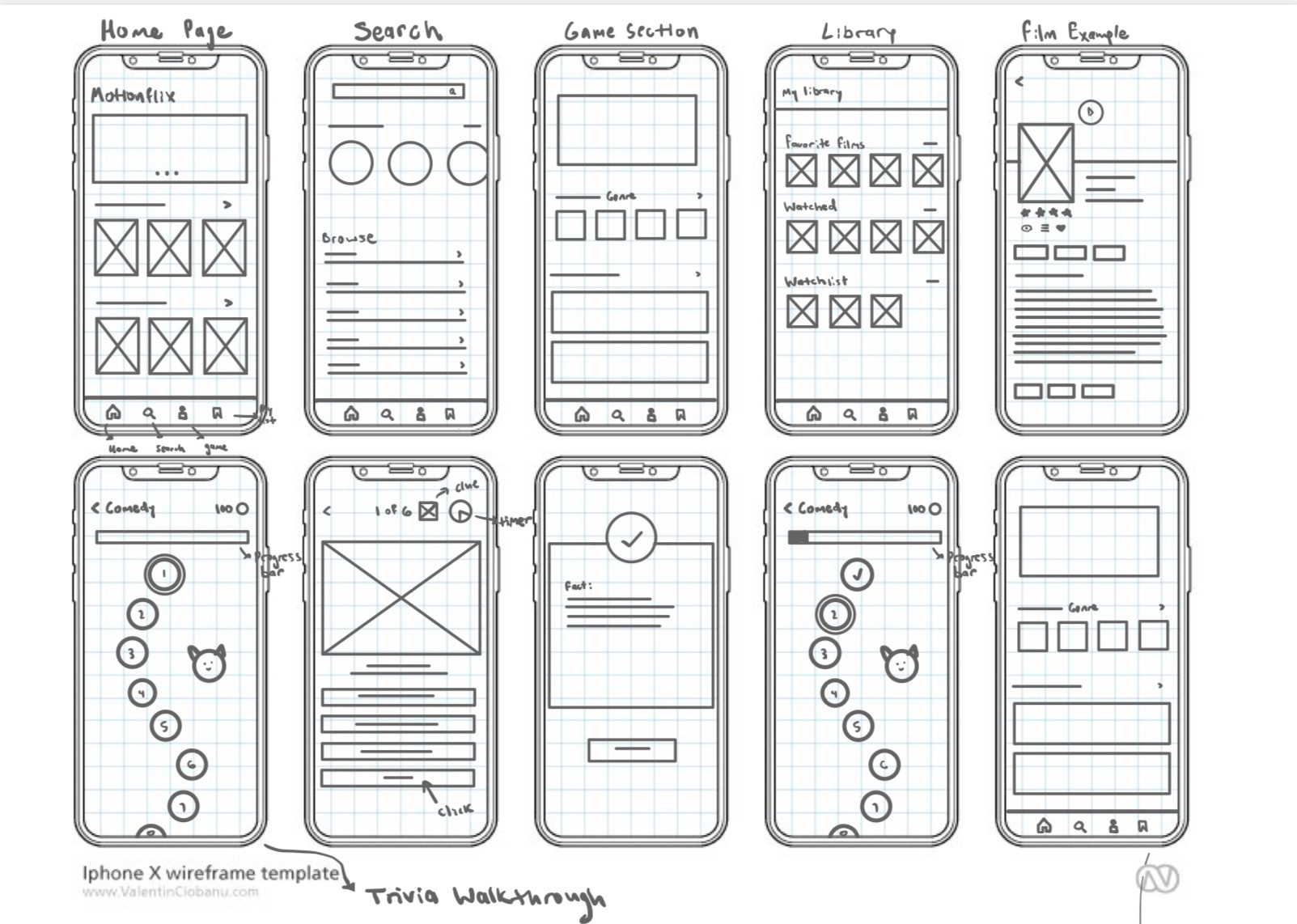
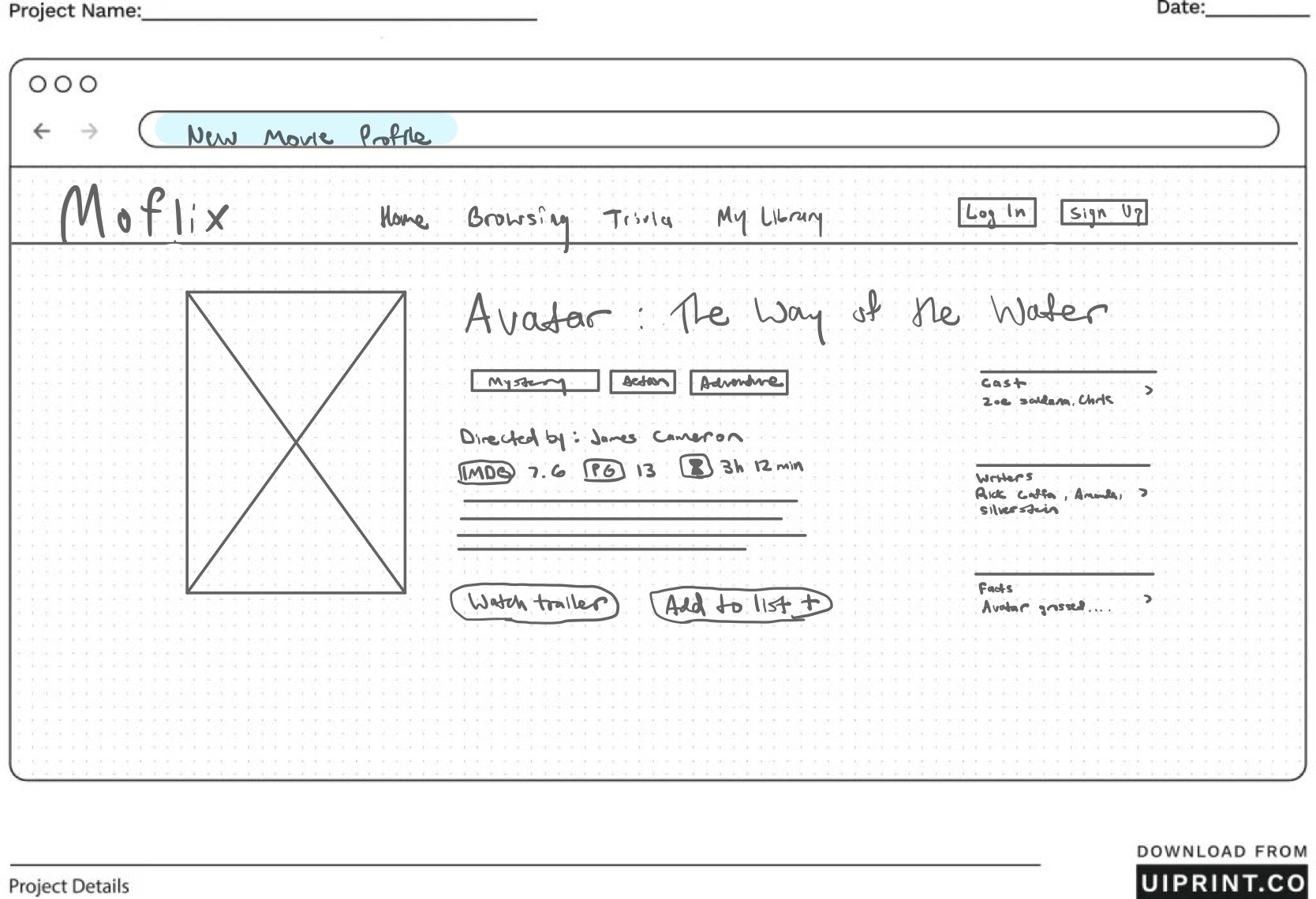
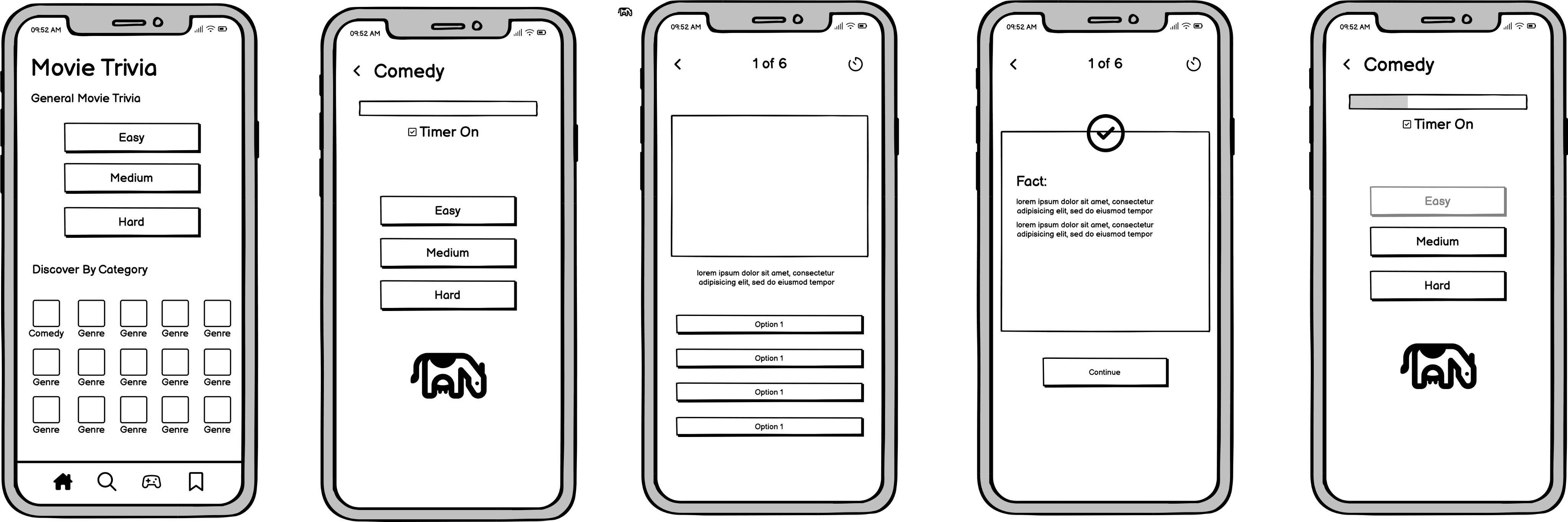
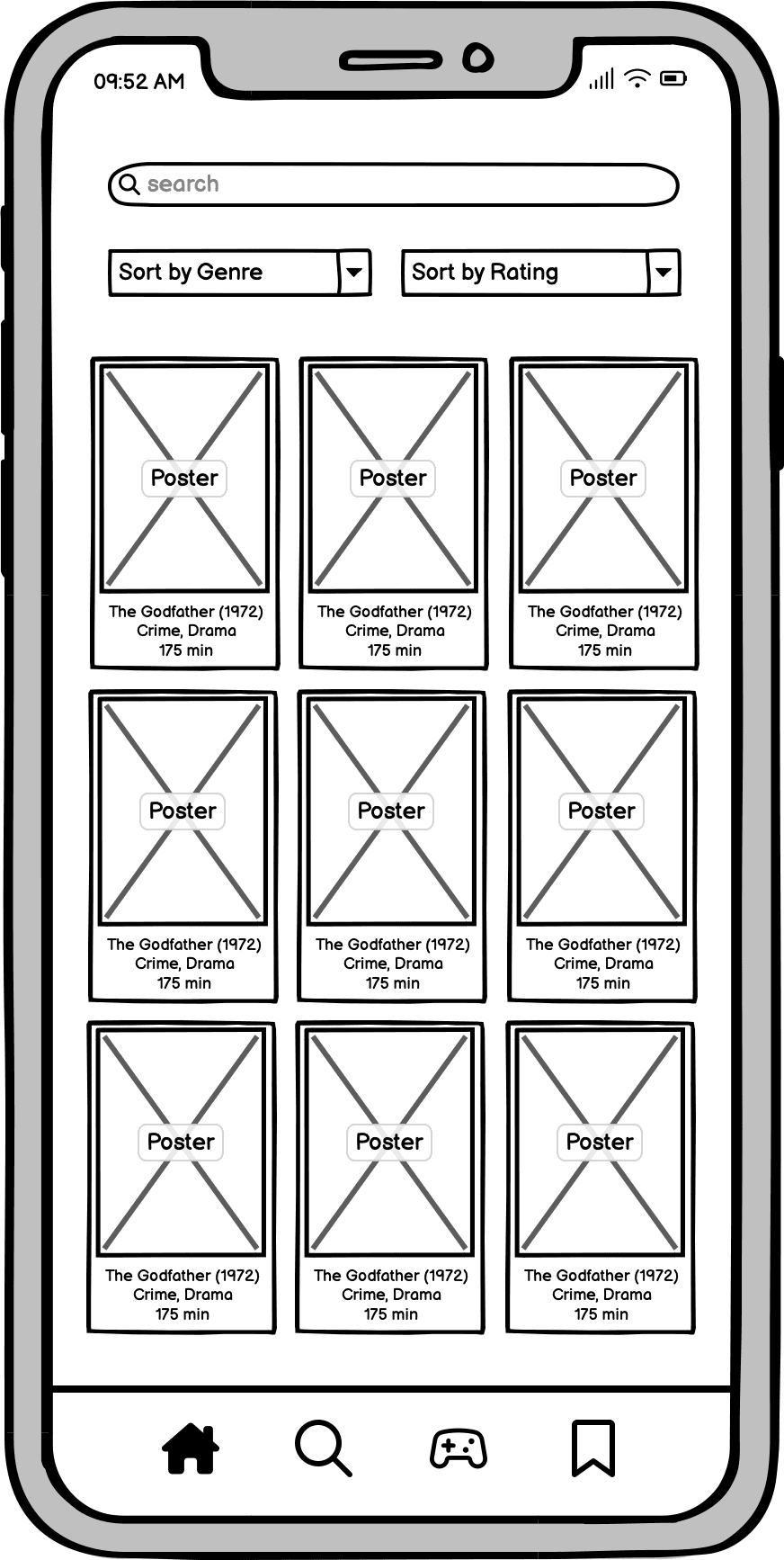
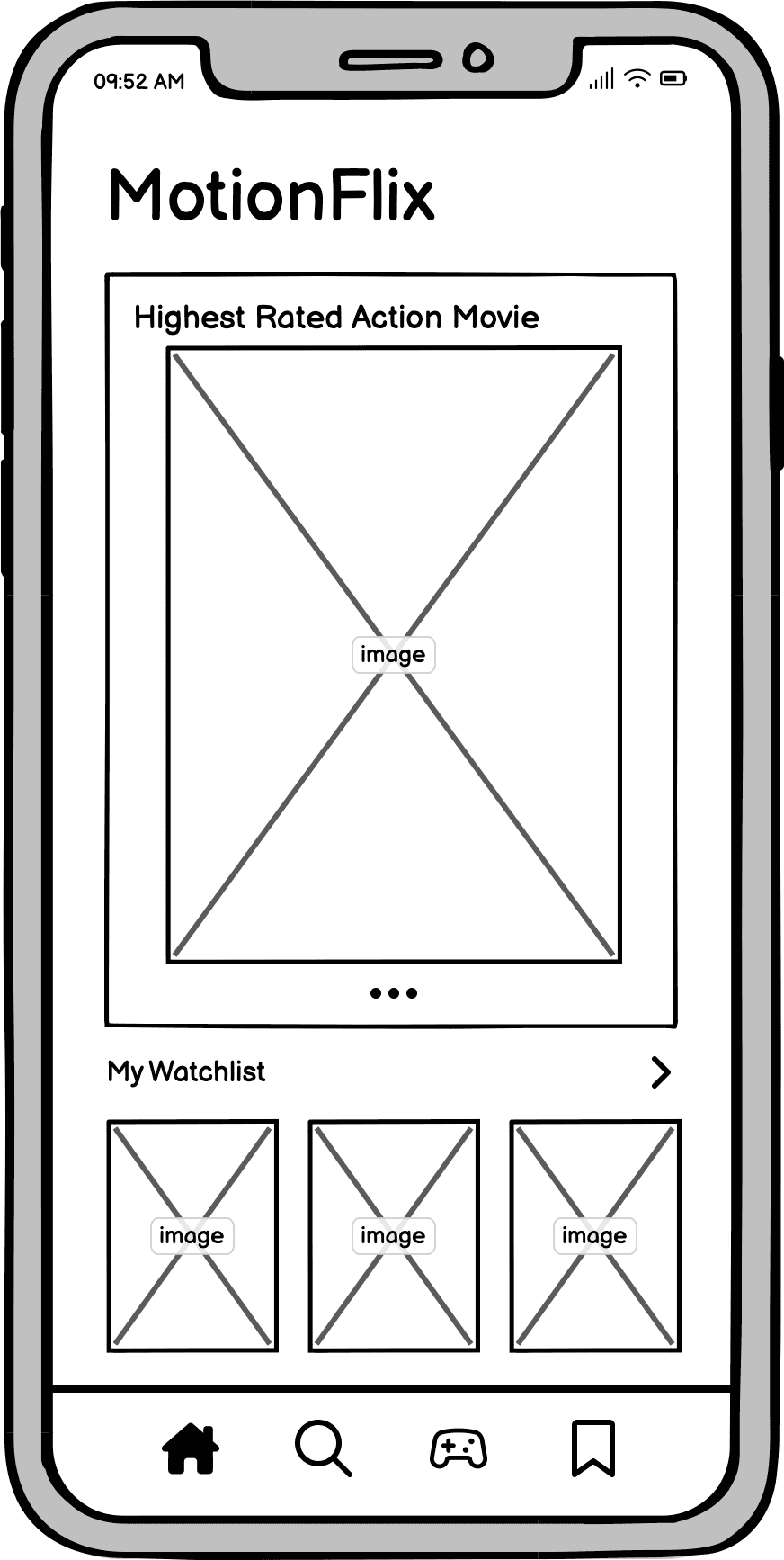
Before I began building my sketches on Balsamiq or drawing rough drafts on my iPad, I wanted to address the requirements mentioned in phase 1 that I planned to implement in my lo-fi prototypes. This included a simplistic structure and design, strong sense of learnability, user interactivity, and so forth. I decided to begin creating the main pages that users would spend more time on such as the home, search, game, and library page. Then, I started working on specific pages such as a walkthrough of the trivia section and an example of a film’s information page.
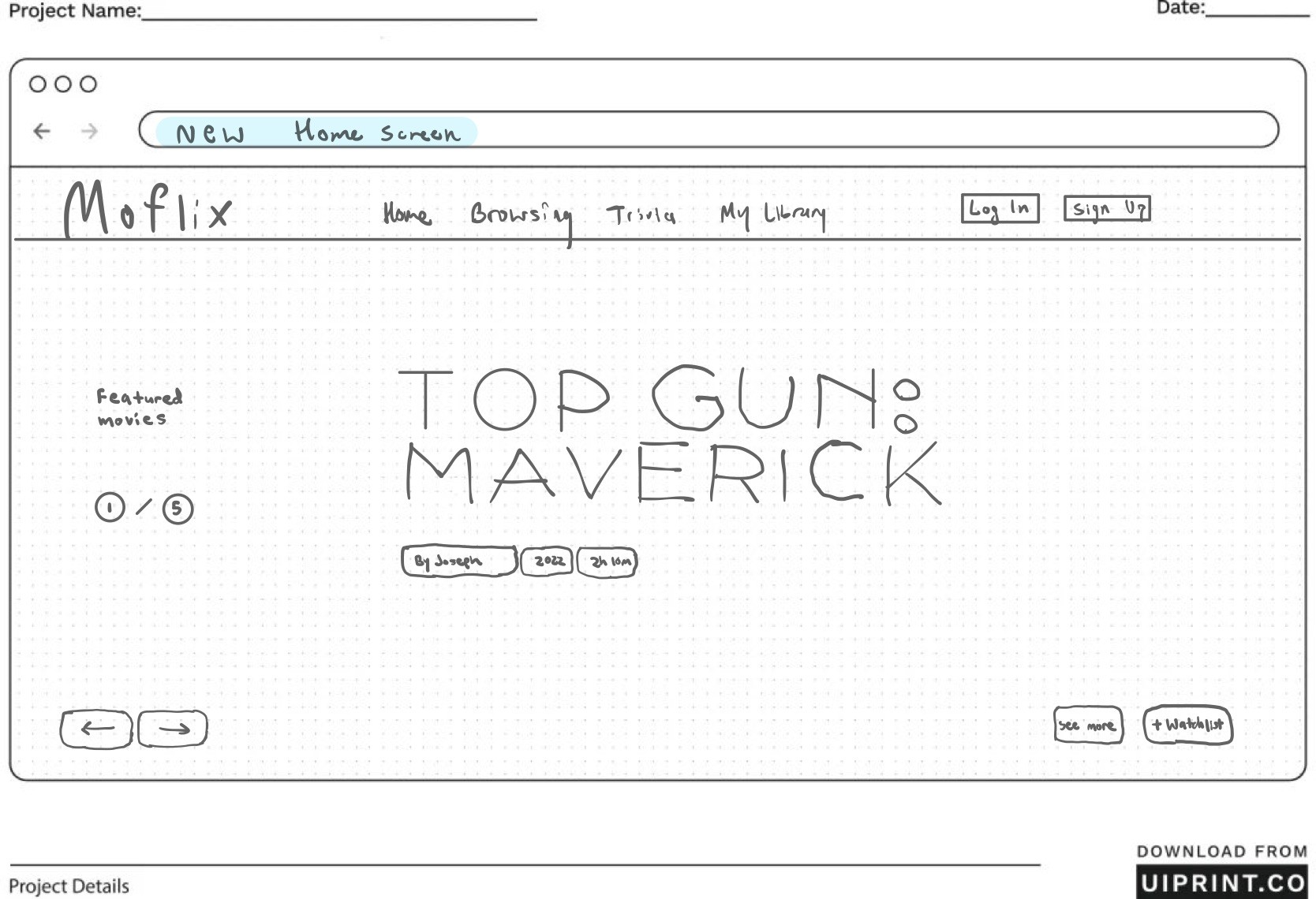
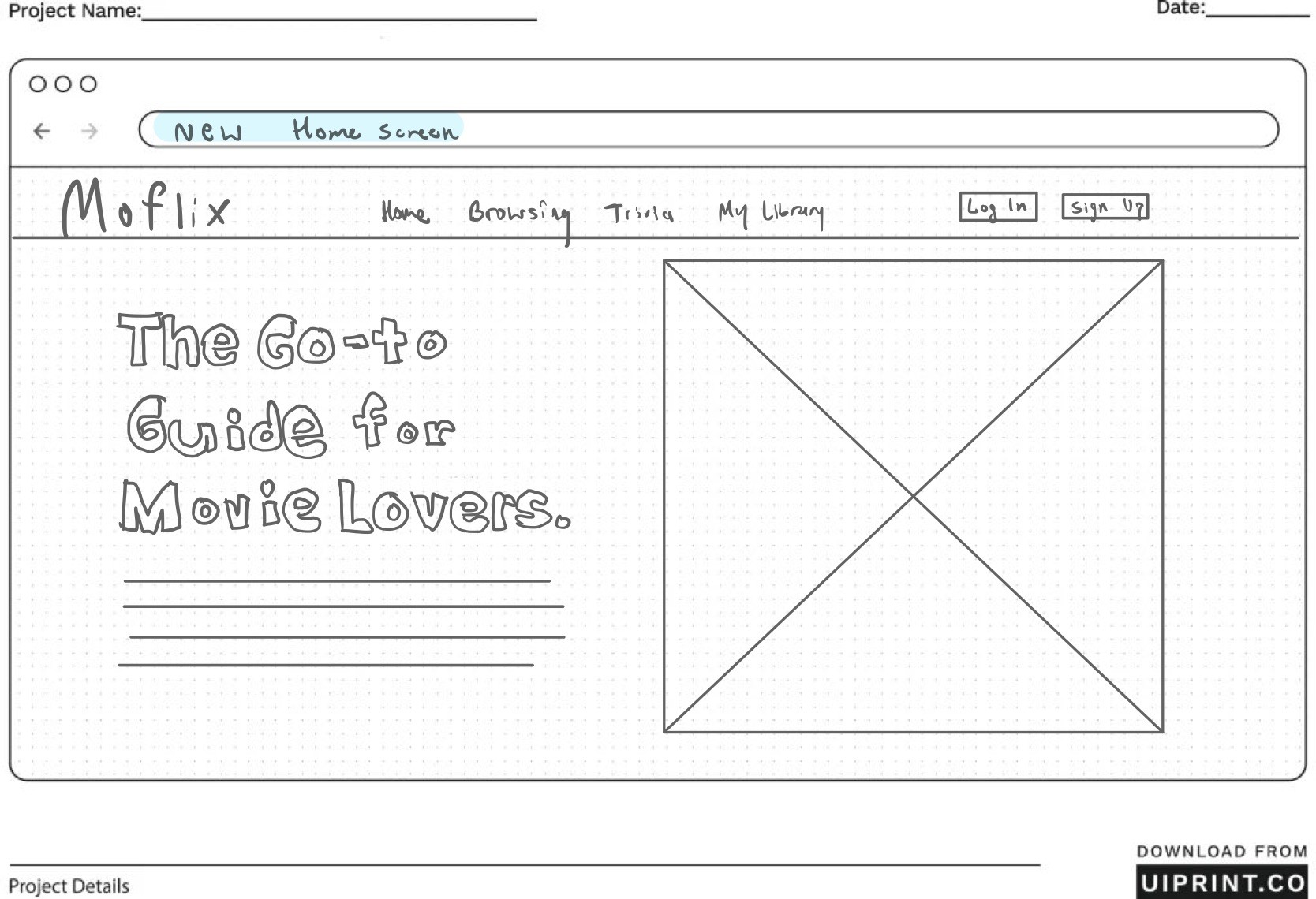
our team initially decided to focus on creating a mobile prototype for the platform. However, due to time constraints and limited knowledge in mobile development, we shifted our focus to developing the desktop version as the final product. This is why the early sketches and prototypes are mobile-focused, while the completed platform is designed for desktop use.
Cognitive Lo-Fi Walkthrough & User Feedback
To evaluate our prototype, we created the following task scenario for our users:
Search for a movie to learn more about it’s background and who was involved
Add a movie to your watchlist
Search for a movie sorted as an action film with the rating going from decreasing to increasing
Complete a trivia you’re interested in playing
Findings:

Effective Filtering and Sorting: Chosen filtering options (genre and IMDb rating) are relevant and useful for the target audience.

Engaging Trivia Feature: Users across the personas found the trivia section to be an enjoyable addition to the platform. This indicates that the trivia feature has the potential to be a key driver of user engagement and can contribute to the platform's educational goals

Importance of Layout: Difficulty in locating the "watchlist" button on the movie profile page underscores the importance of carefully considering button placement for key actions.
Information Architecture
Home
Home
Search Bar
Liked Movies
Genre Filter
Movie List
Watched
Movies
Home
My Watchlist
Trivia
Home
My Library
Trivia
Browsing
Edit List
Movie
Carousel
General
Movie Trivia
Trivia
Round
Genre
Trivia
Watchlist
Carousel
Browsing
Trivia
My Library
Browsing
Trivia
My Library
Tap movie poster
Movie profile page
Easy
Medium
Hard
Multiple Choice Questions
Score Display
Main trivia page
Scroll carousel
Select movie
Movie profile page
Browsing
Home
My Library
movie profile page
movie profile page
movie profile page
Easy
Medium
Hard
Movie profile page
create a new list
delete a list
MY ORIGINAL LO-FI MOBILE SKETCH IDEA
POST PROJECT LO-FI DESKTOP SKETCH IDEA
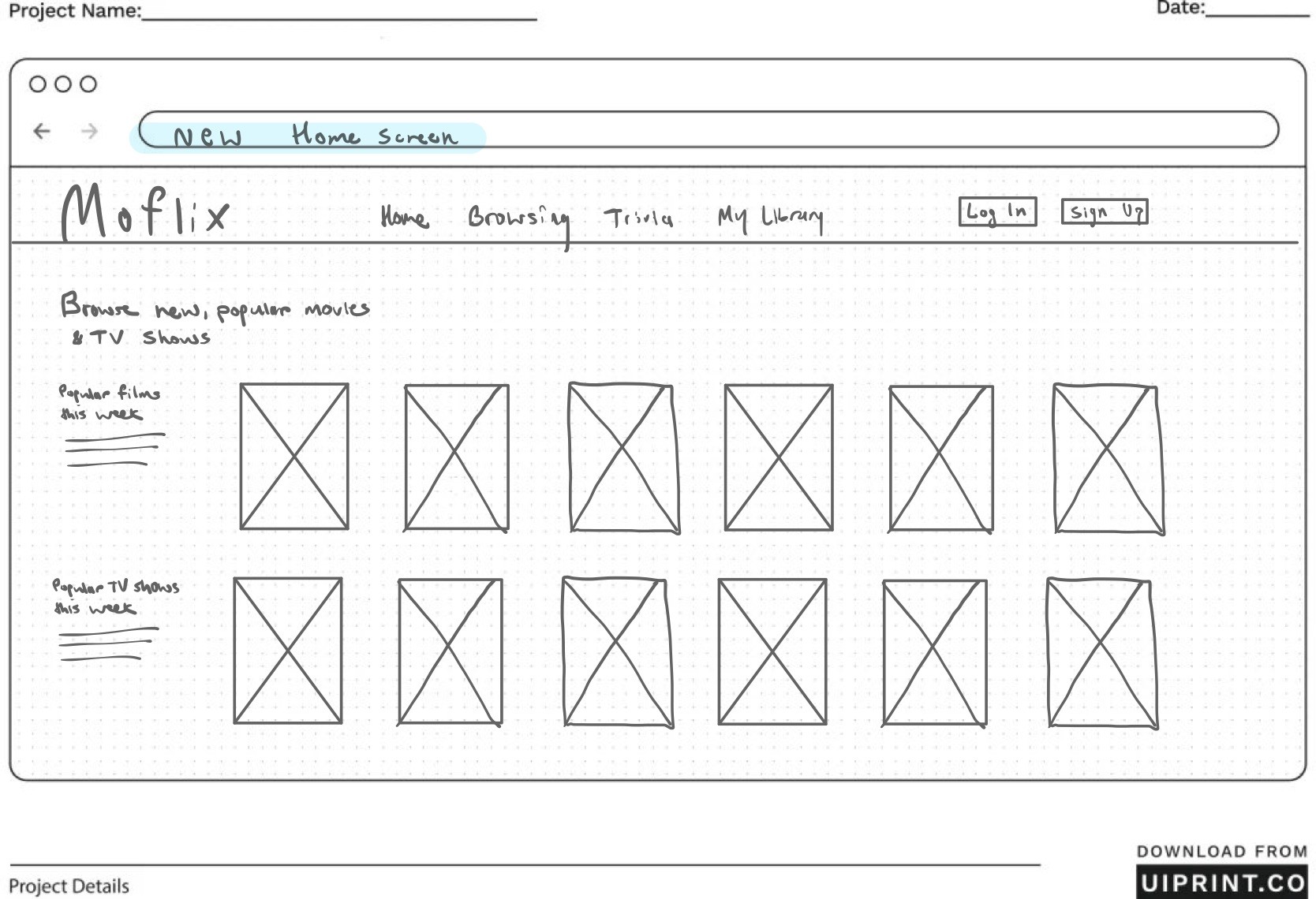
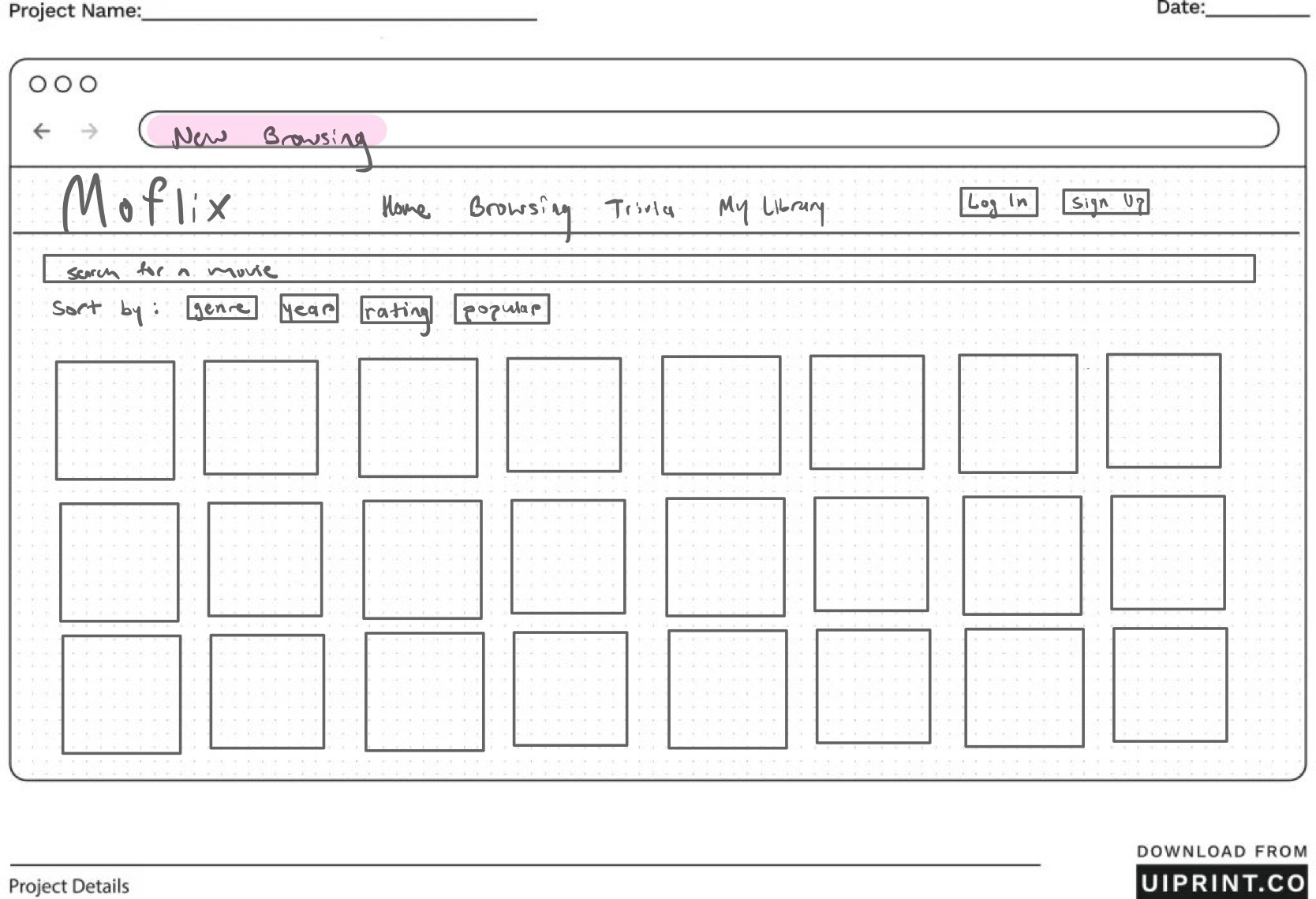
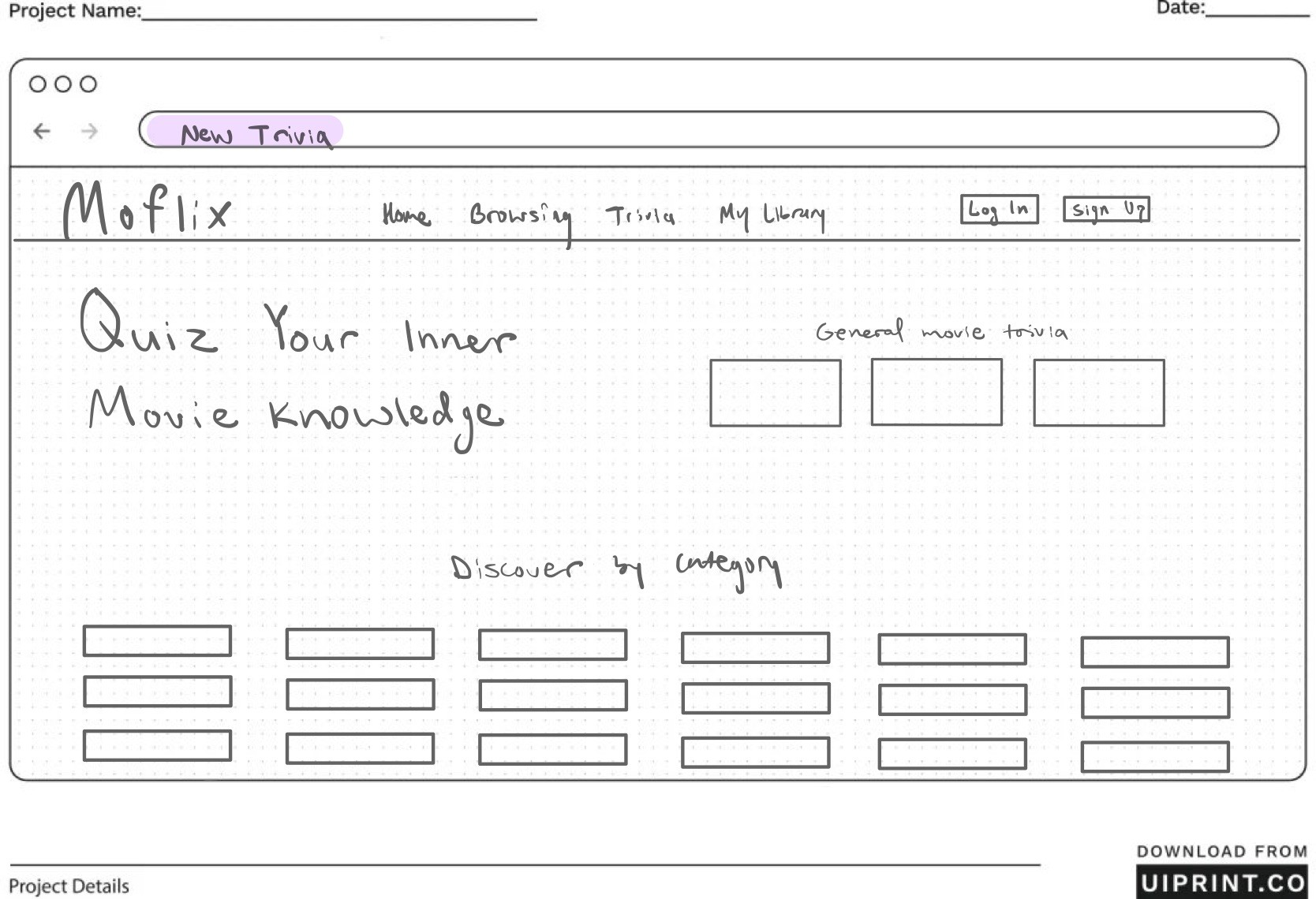
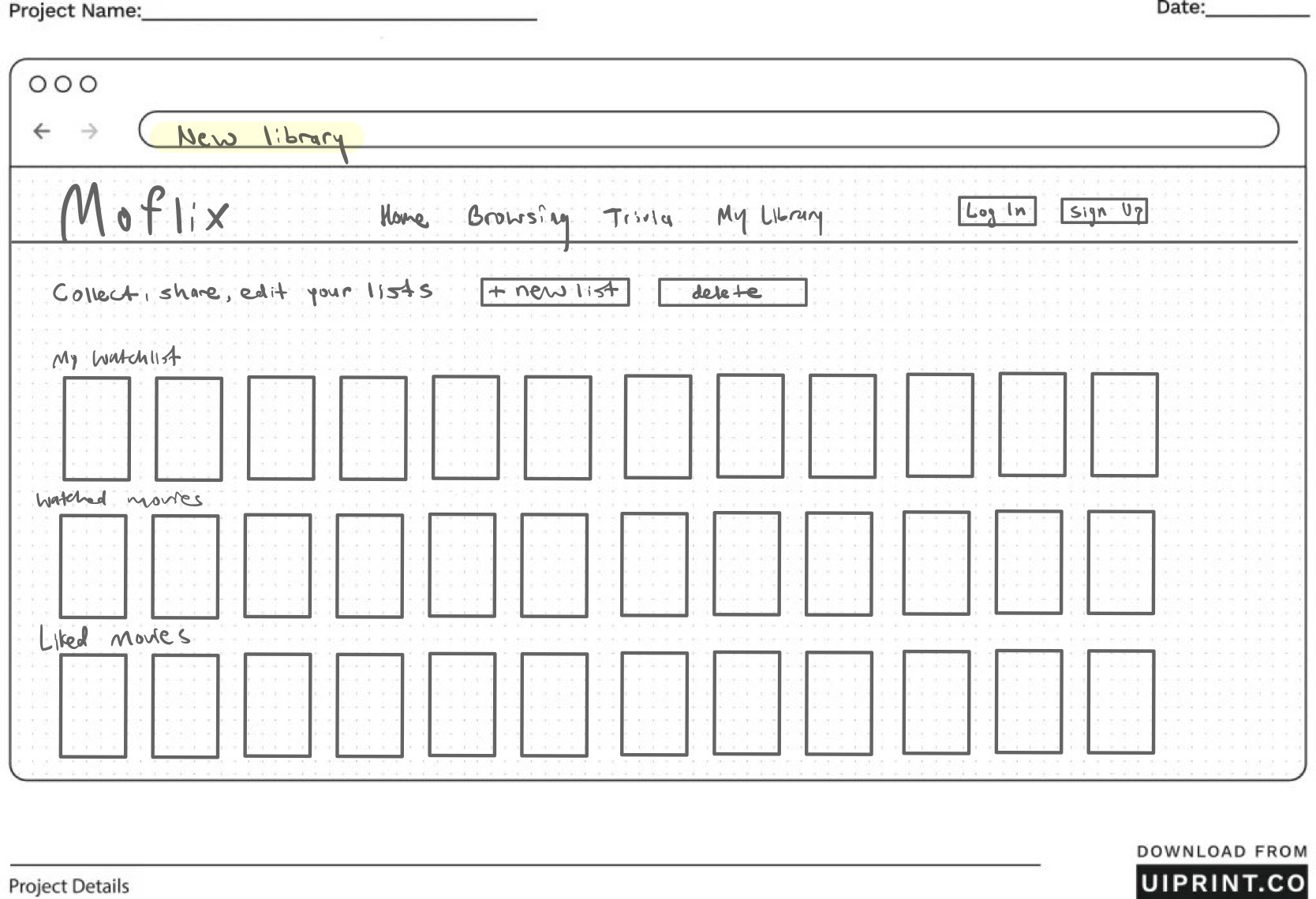
GROUP MOBILE LO-FI PROTOTYPE
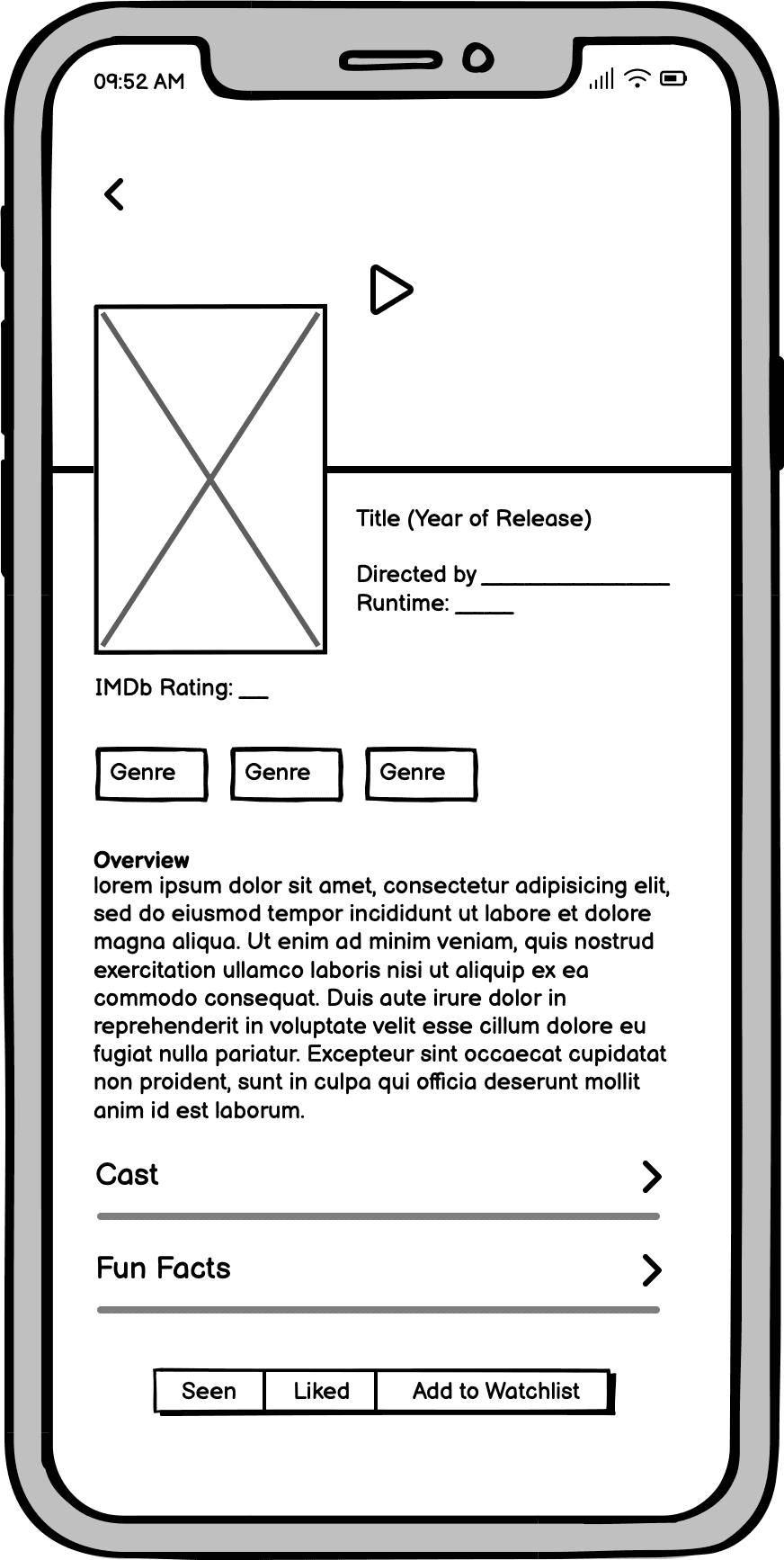
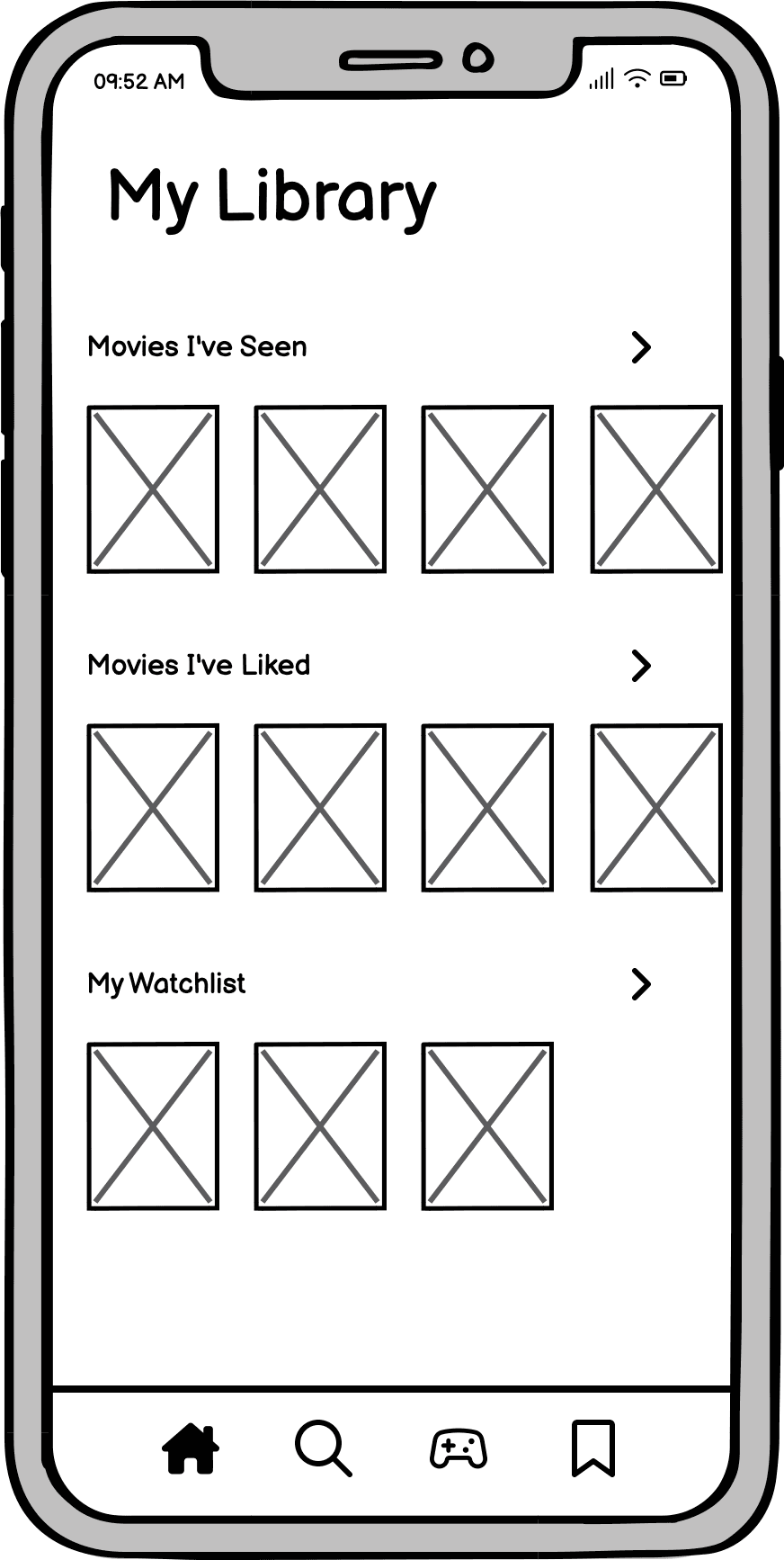
Iteration & User Testing
After creating our prototype for MotionFlix, we sought to test our design with a variety of users. Each member interviewed one user with the goal of attaining helpful data about how we could continue to make improvements. Users were asked to complete specific tasks which we had implemented in our prototype in the design phase. participants were asked to fill out the NASA Task Load Index and the post-test satisfaction form. These documents helped convey the participants’ thoughts about the prototype as a whole.
NASA-TLX Score
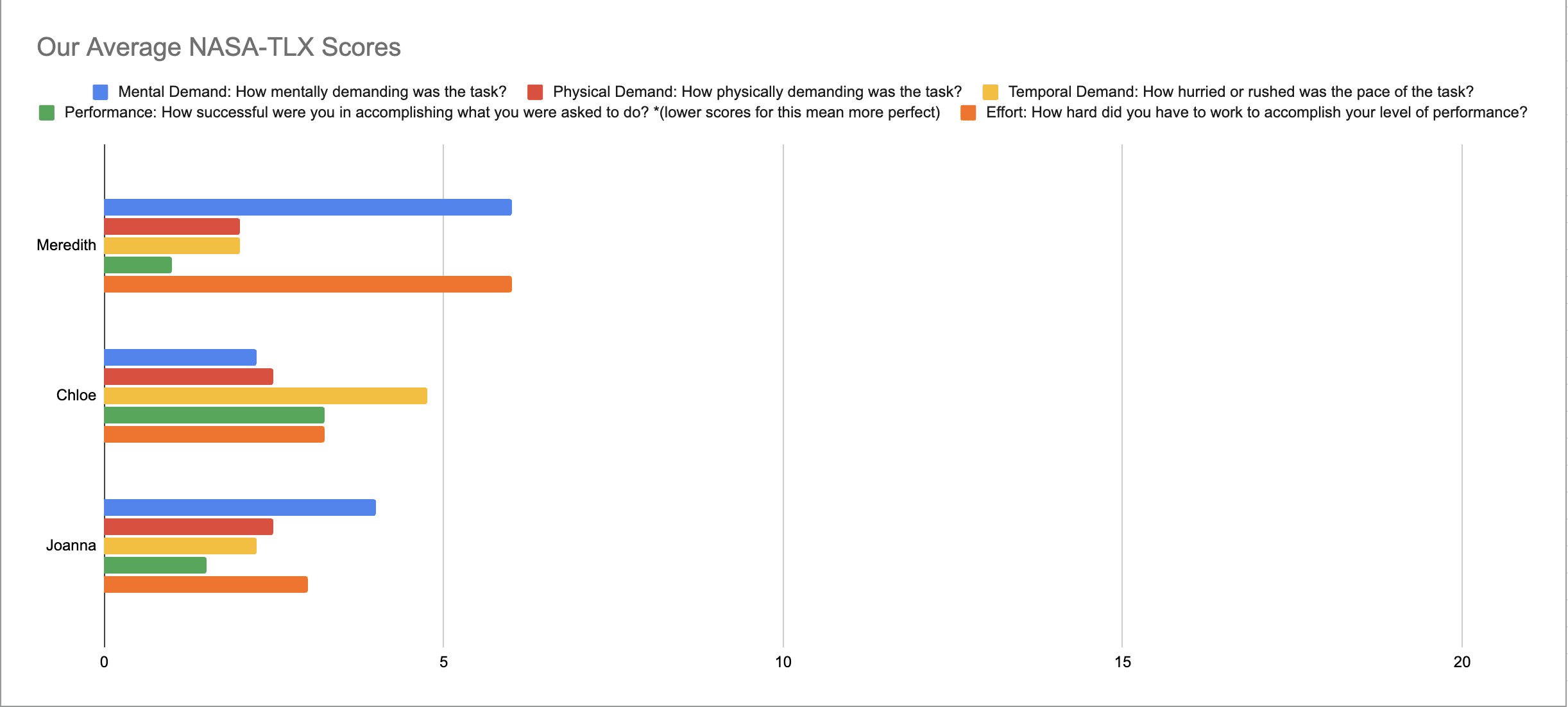
Users completed the task, but high mental effort revealed unnecessary cognitive load. Streamlining information could make decision-making and understanding of the website's information faster.
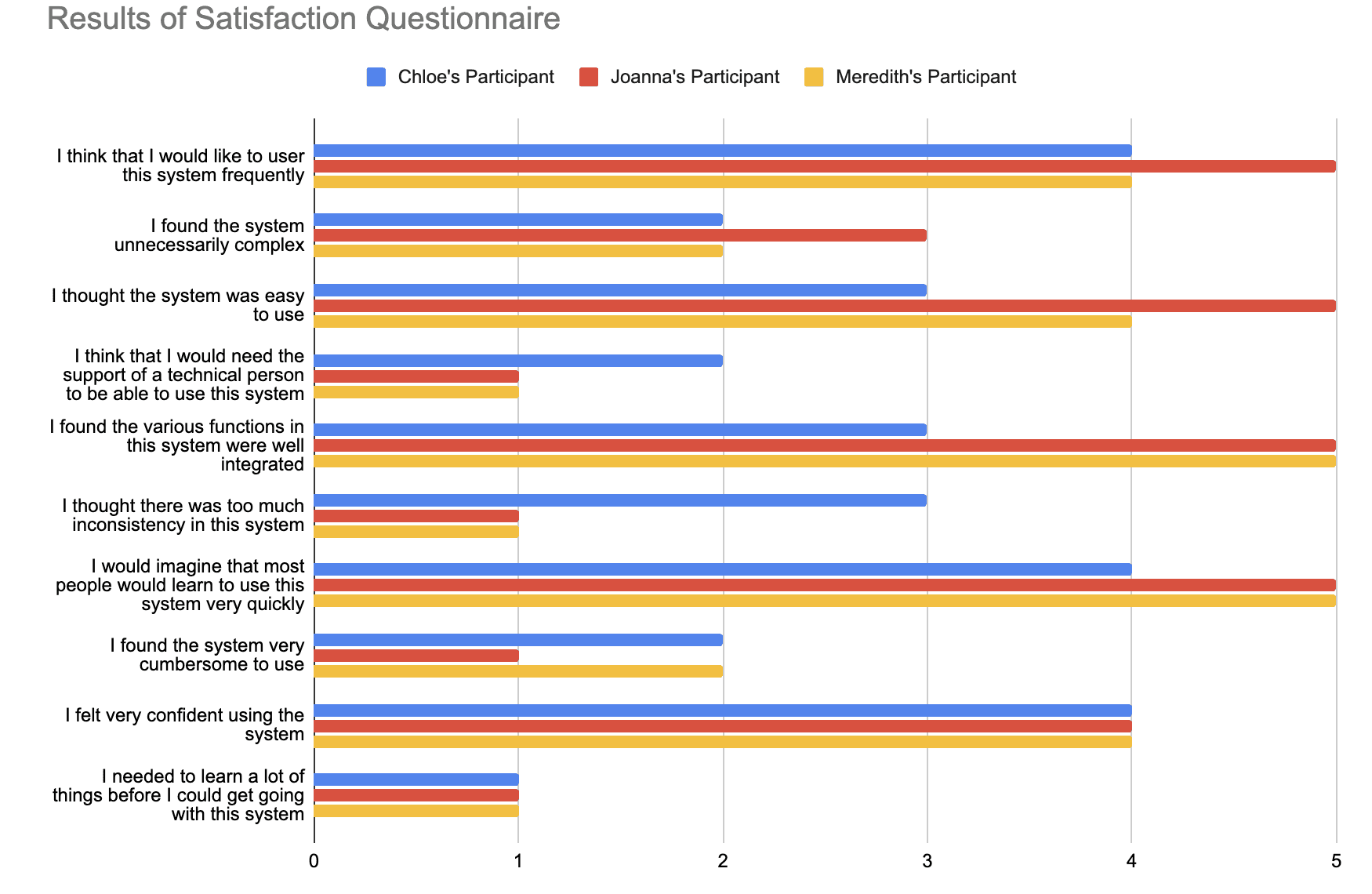
SUS - the System Usability Scale Score
A larger sample size is needed to get a more accurate estimation of the system's usability, but a SUS score of 83.3 assures us that our system is considered usable by most of our audience.
Browsing Page
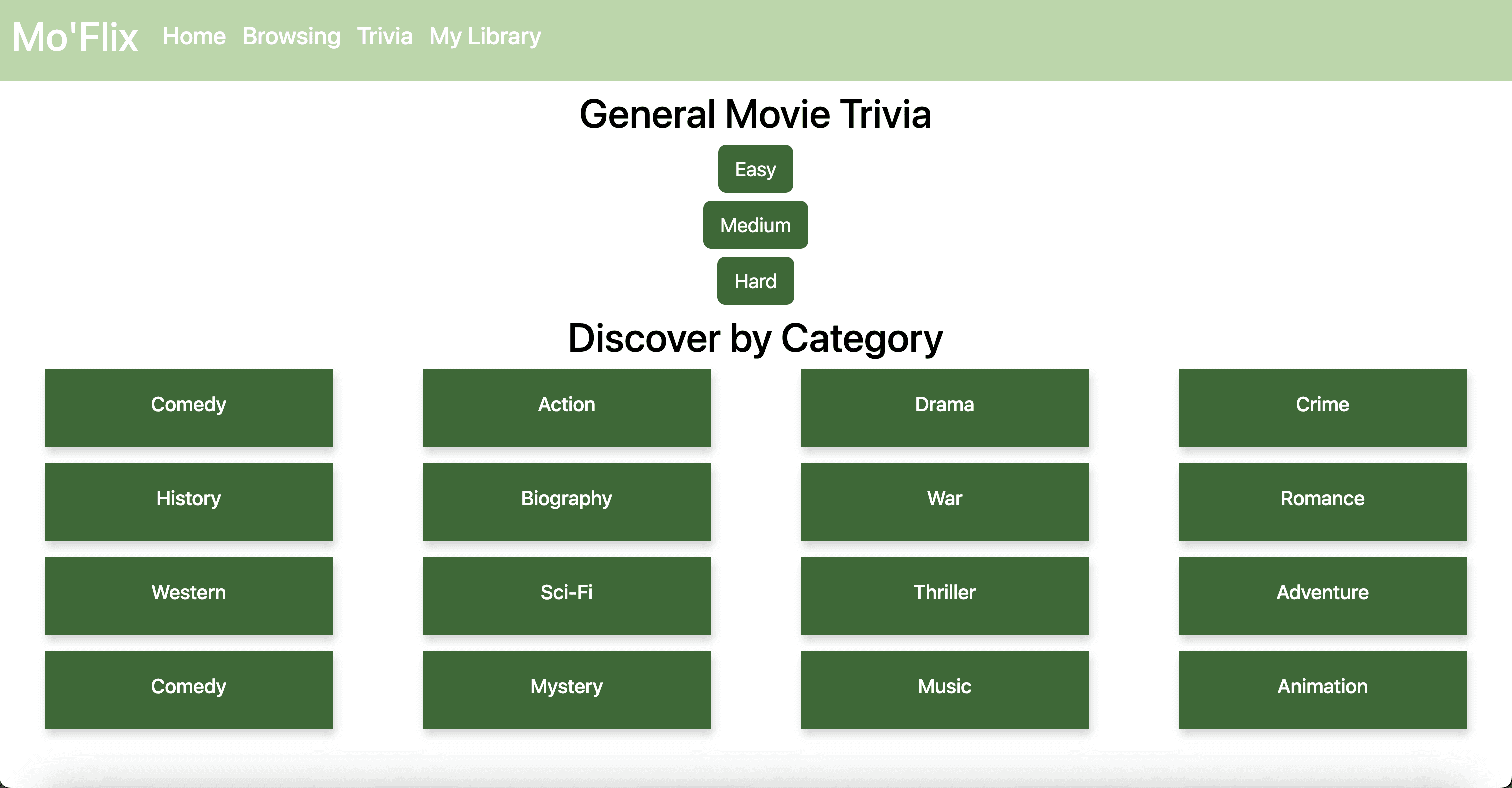
Trivia Page
Original Design
Final Design
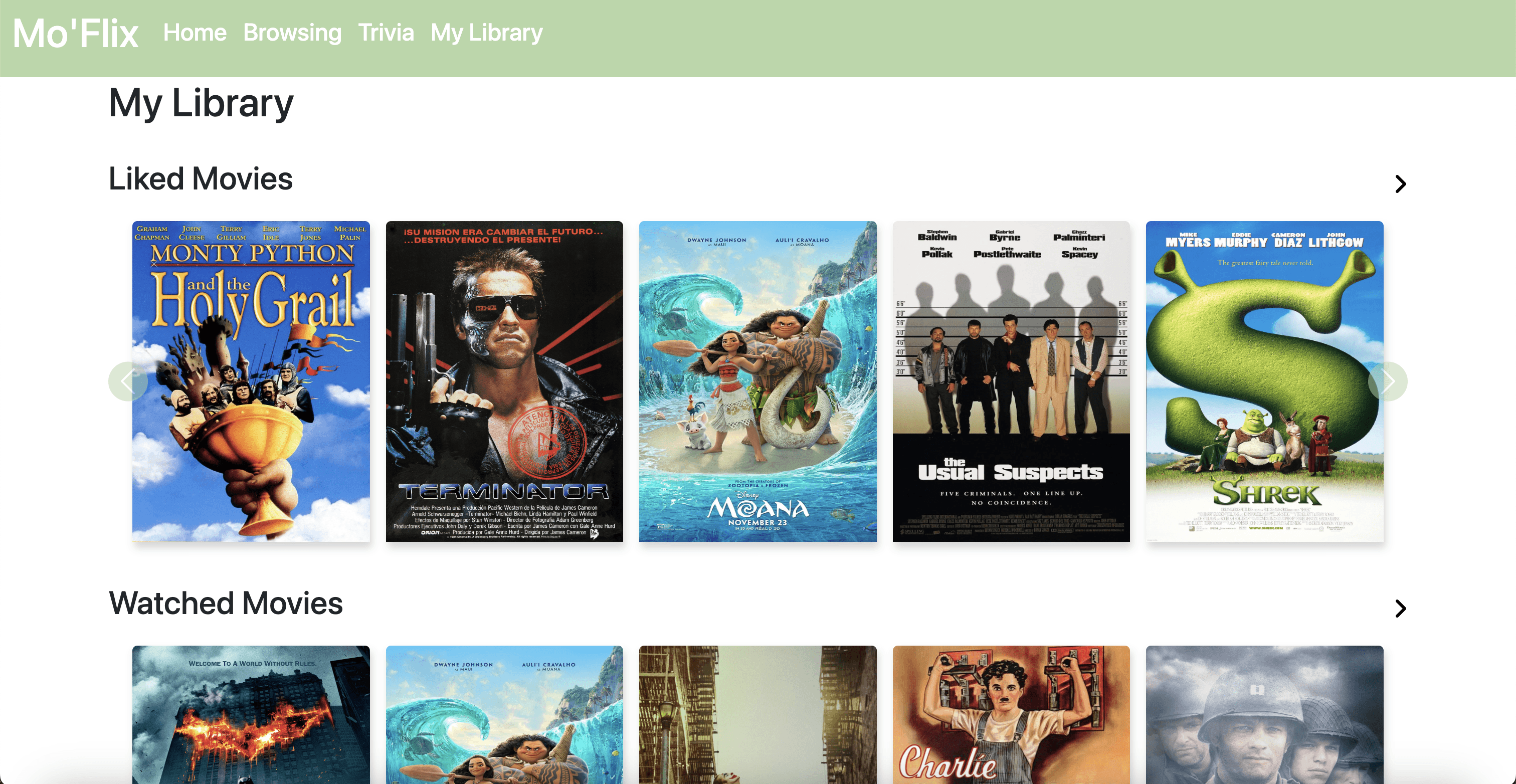
My Library Page
Original Design
Final Design
Final Design
Movie Profile Page
Original Design

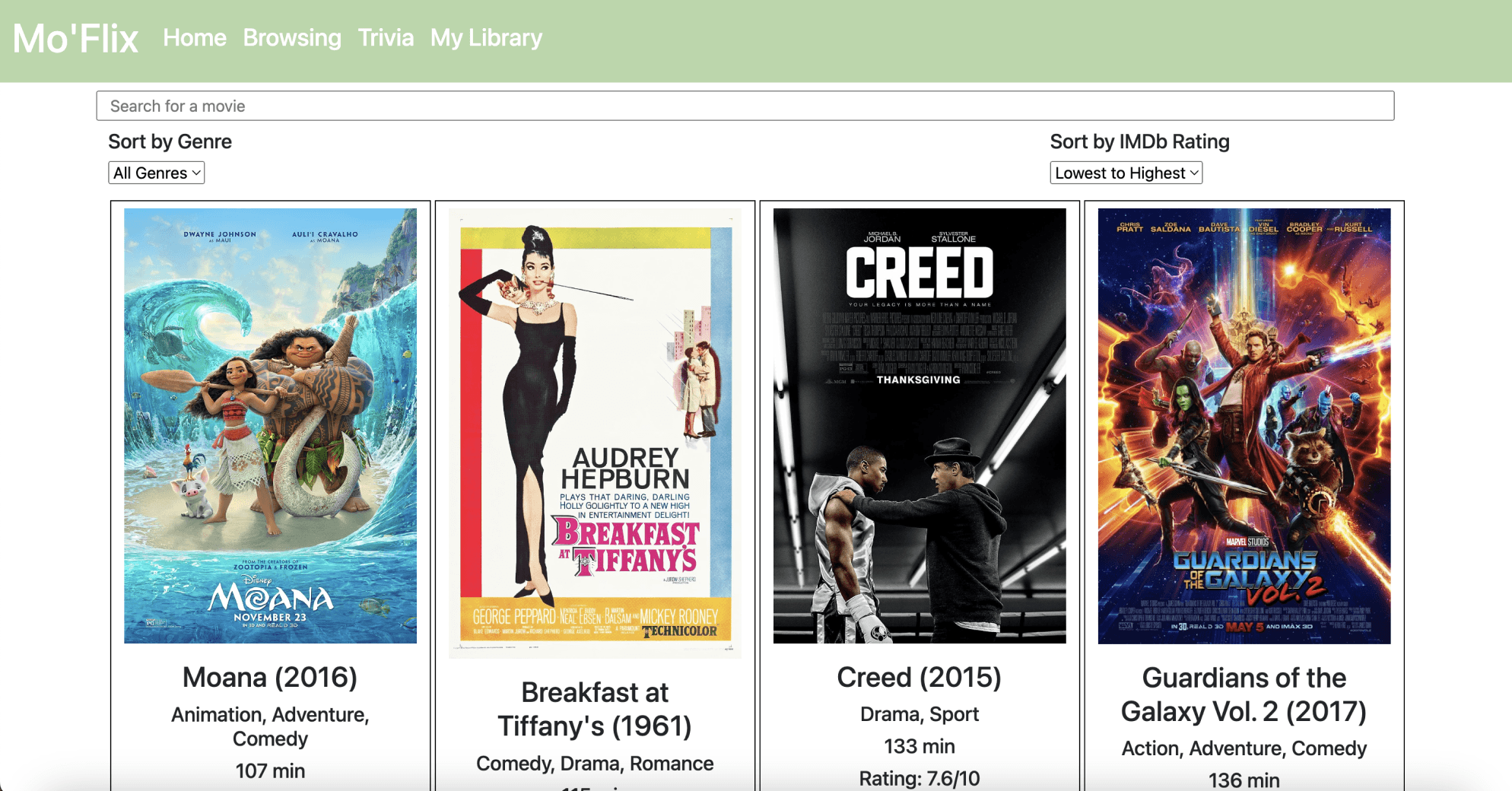
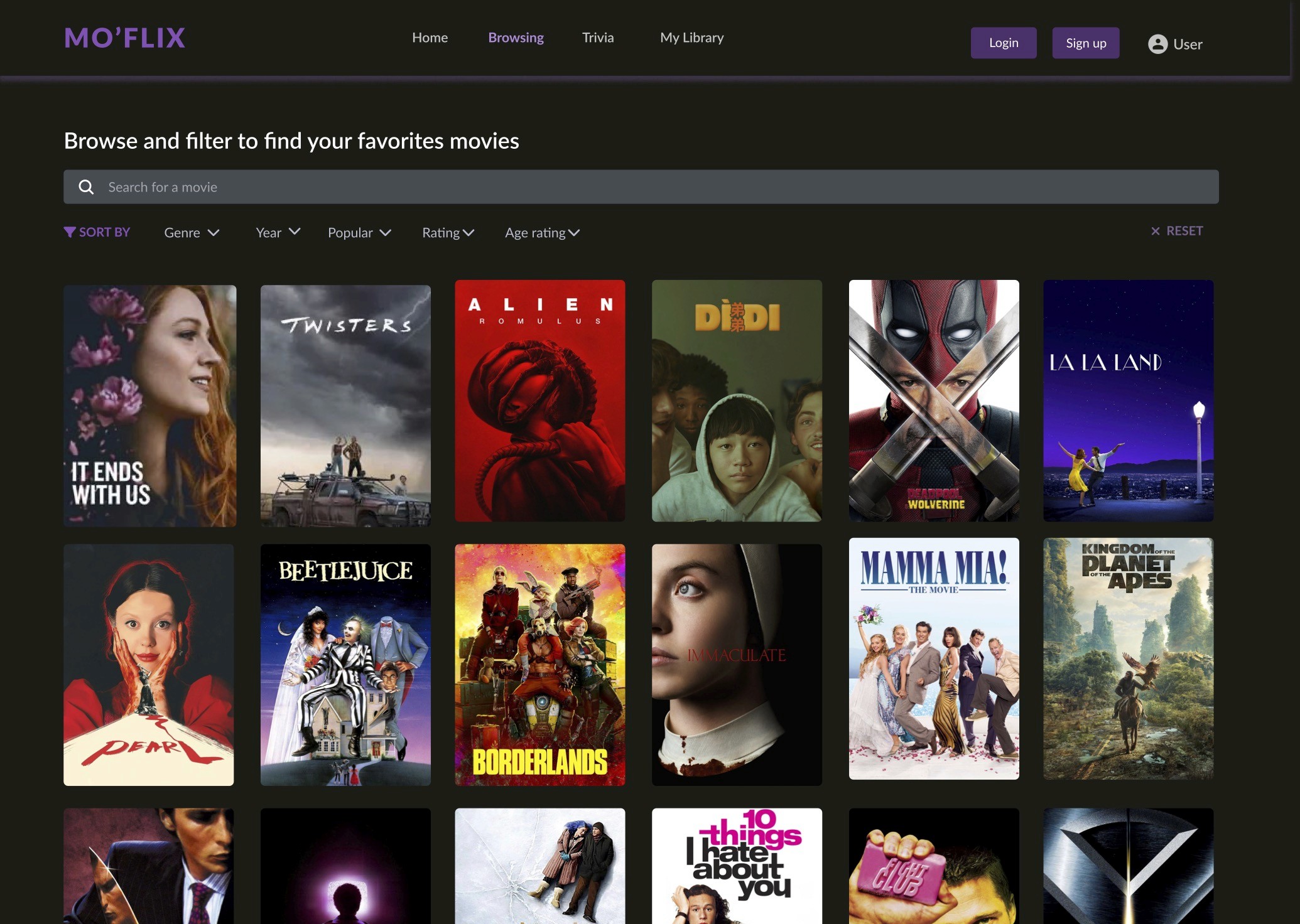
The original design allowed users to browse and filter movies, but the dense layout required excessive scanning to compare options. Filters and sorting controls lacked visual emphasis, making it harder to quickly refine results. The redesigned interface introduces clearer hierarchy, a streamlined filter bar, and stronger visual contrast to support faster exploration.
Original Design
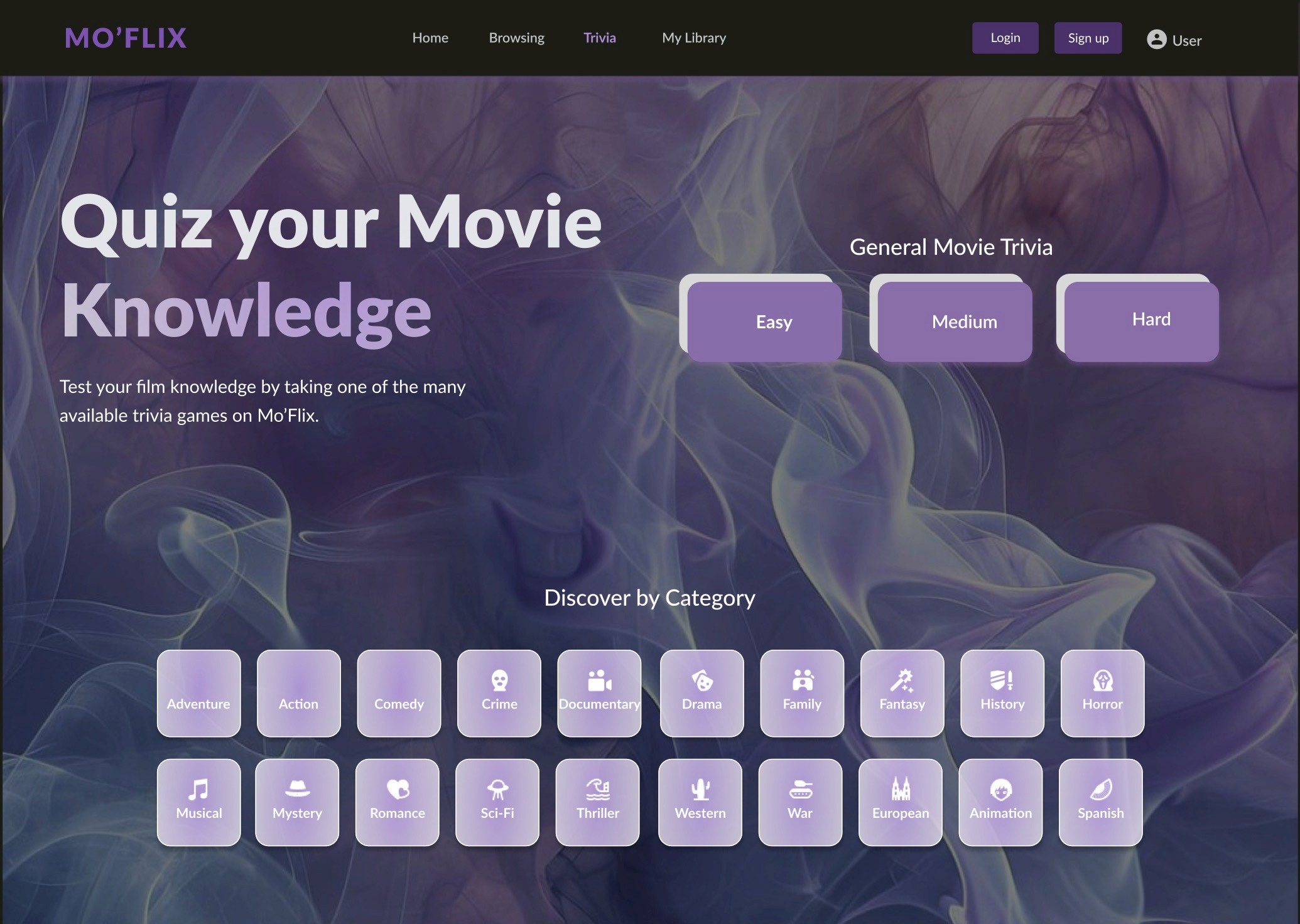
The original trivia experience presented many category options at once, but the flat layout and uniform styling made it difficult to understand where to begin. Difficulty levels and categories lacked visual hierarchy, requiring extra effort to scan and choose a path. The redesigned interface introduces a clear entry point with emphasized difficulty selection, improved grouping, and a more engaging visual hierarchy.
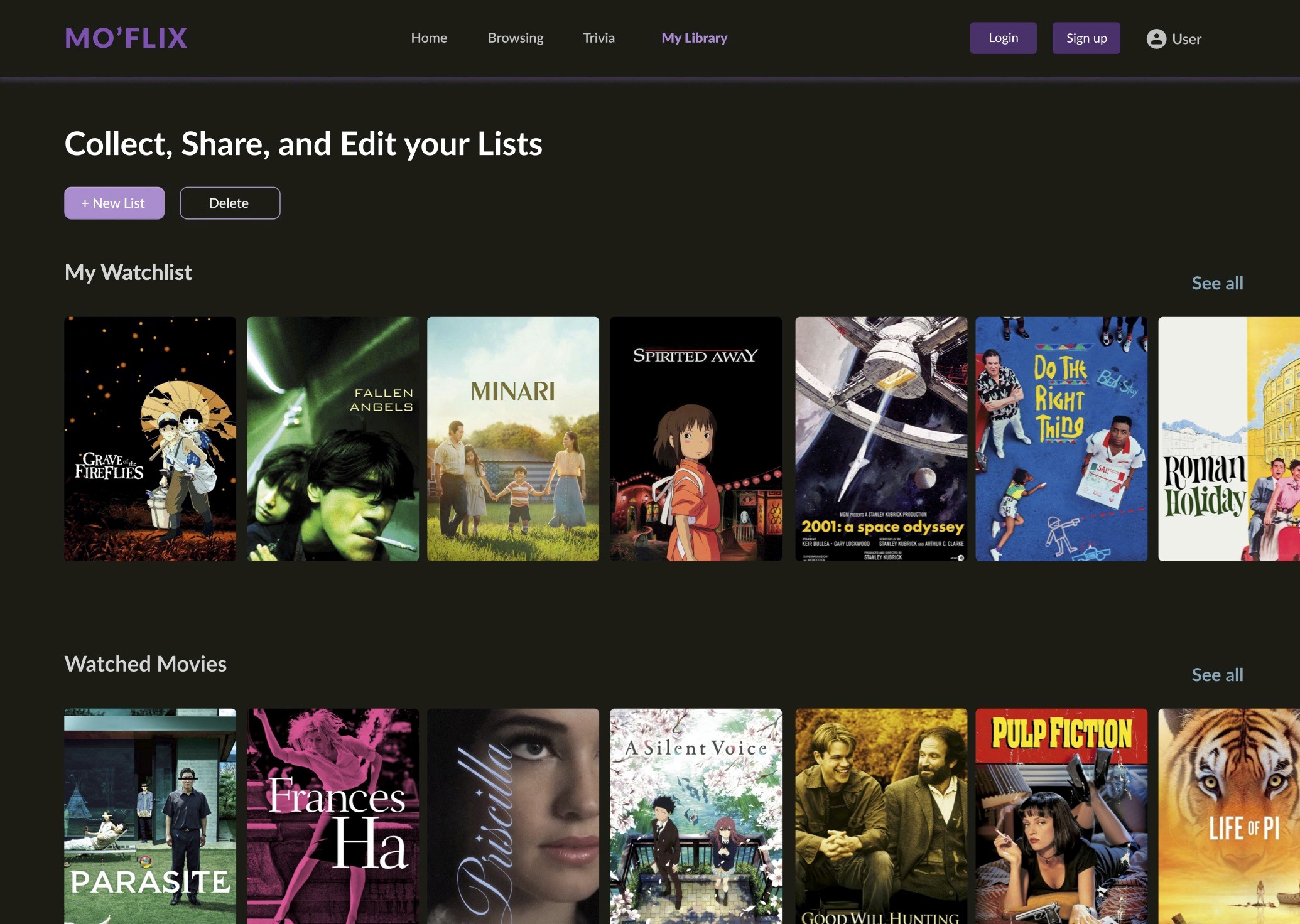
The original library view displayed liked and watched movies but offered limited control over how lists were managed. Actions such as organizing, editing, or creating lists were not clearly surfaced, making the library feel more passive than interactive. The redesigned experience introduces clearer list management actions and stronger section hierarchy.
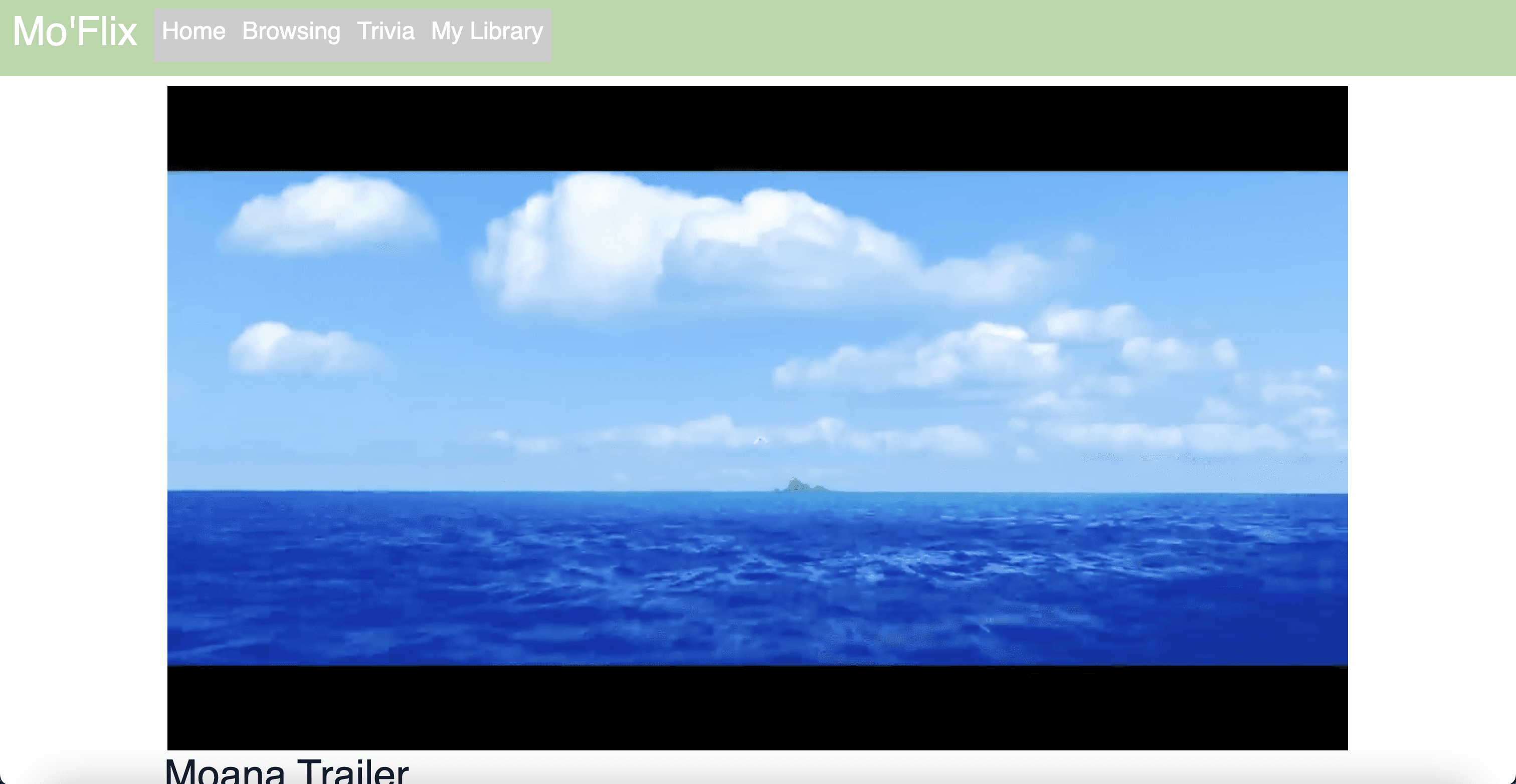
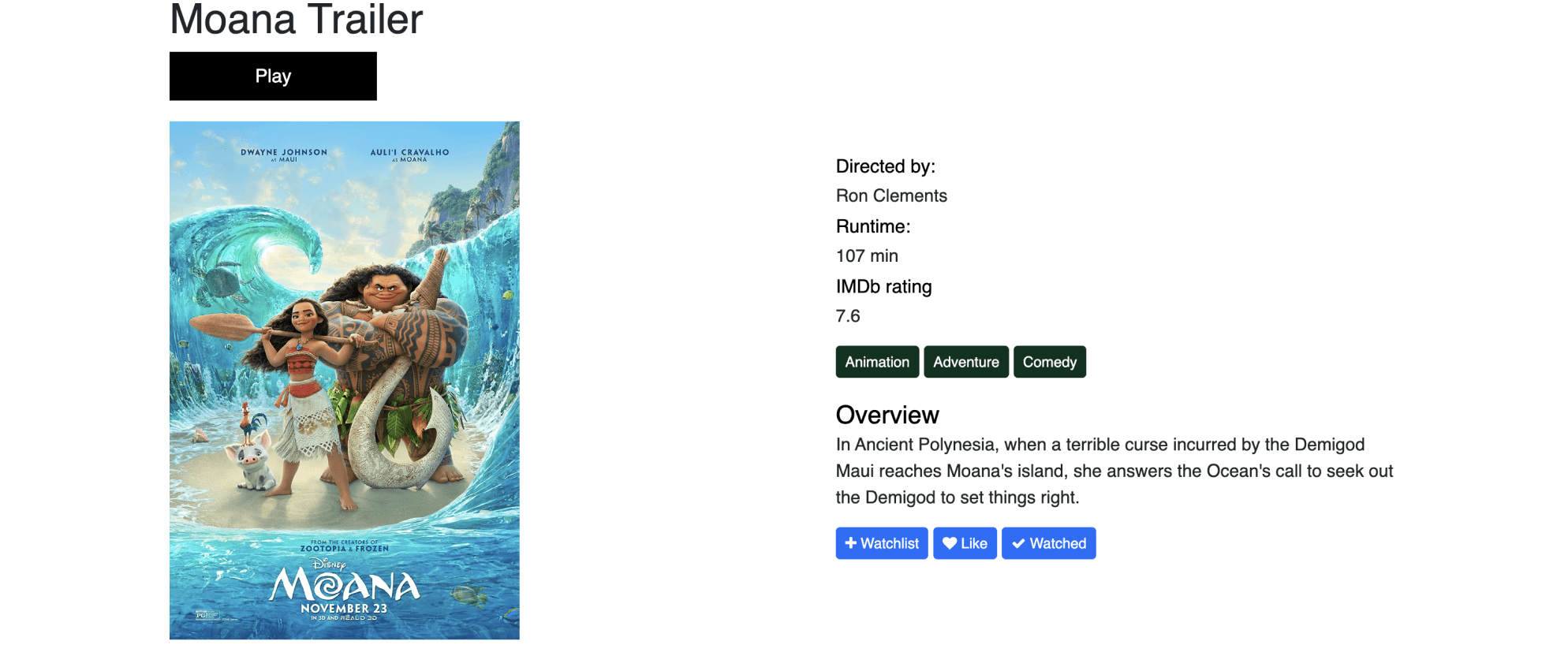
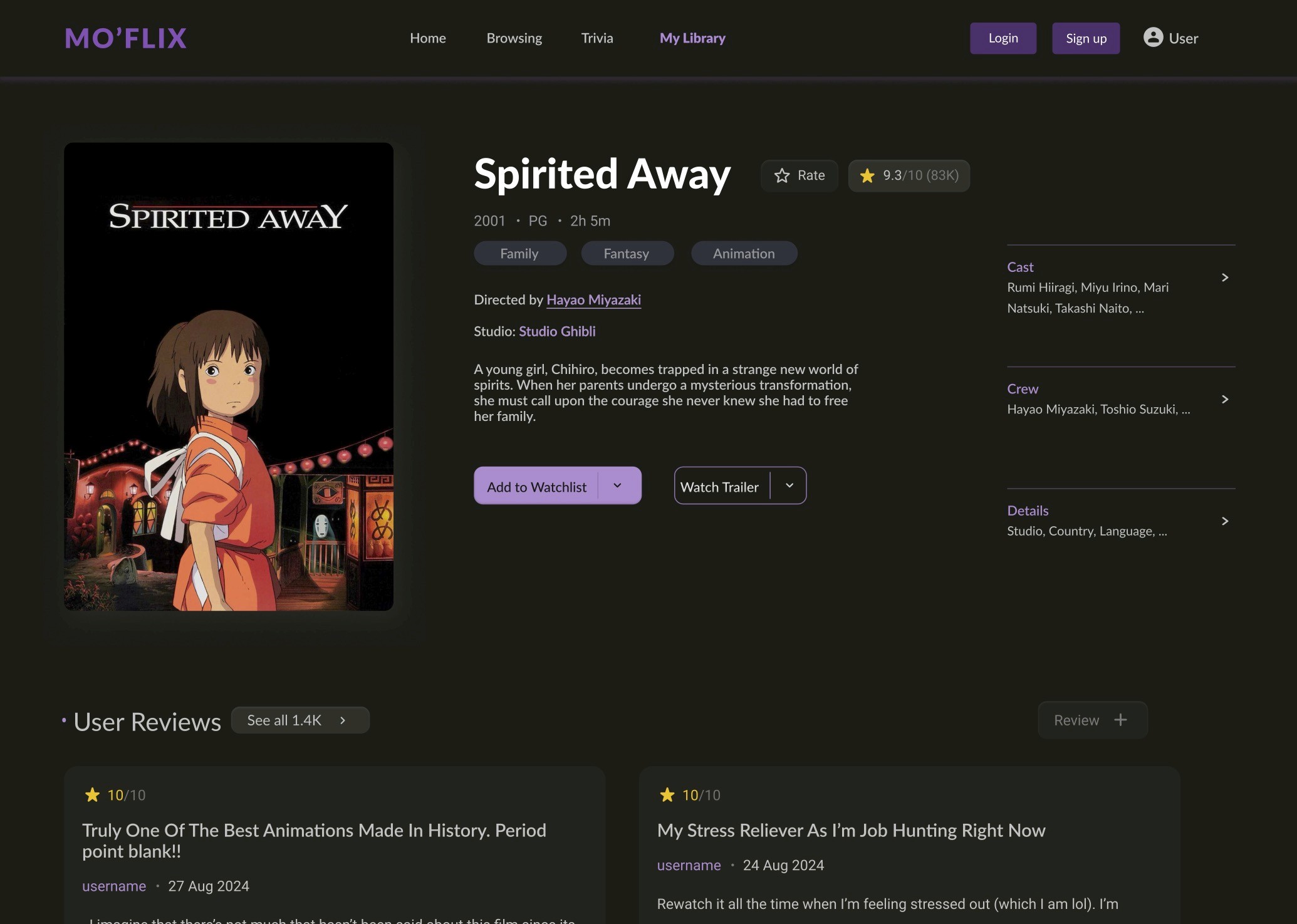
User testing revealed that users primarily scanned the page and wanted immediate context on whether a movie was worth watching. Highlighting ratings, reviews, and clear calls to action near the top increased engagement and perceived credibility. The original design was content-heavy and lacked clear visual hierarchy, making it harder for users to quickly assess a movie. The redesign prioritized key information like the title, rating, genres, and primary actions, while using a darker, more cinematic theme to improve readability and immersion.
One major challenge was switching from a mobile to a desktop prototype late in the process, which highlighted the need to decide the platform earlier to save time and manage technical constraints. While the design wasn’t heavily critiqued, some pages felt visually cluttered; future iterations should better prioritize layout and visual principles alongside functionality. Limited experience with HTML, CSS, and JavaScript also restricted our ability to implement more advanced features, but despite these challenges, we successfully met many user requirements we initially thought were out of reach.
Our process had several strengths. We effectively divided tasks, communicated well, and stayed focused on our goals for MotionFlix from start to finish. We were good at organizing and prioritizing, especially in the coding phase, where we tackled programming challenges by staying flexible and working around obstacles. During the prototype phase, we welcomed all ideas while balancing practicality and creativity. Whenever code changes were made, we kept each other informed to adapt together.
Going live still feels far off, as we need to strengthen our knowledge of data storage, coding, and CSS to build a more efficient, modern, and competitive product. User feedback was essential throughout each phase, helping us identify strengths and weaknesses we would have otherwise missed and ensuring the prototype aligned with user expectations. Overall, the project was a valuable learning experience, and we’re proud of both the final product and the growth we achieved while building MotionFlix.


01
⚙️ Overall Quality of the Design
As students with limited time and skills, we rate MotionFlix’s overall quality at 6 out of 10. Aesthetically, some components could be rearranged. Additionally, some more educational and interactive features (which we did not have time to implement in our process) could be added. However, though our prototype may require some improvements, we believe that it proficiently fulfills the usability requirements we established in the research phase.
02
🌪 Designing Under Deadline
03
🙌 Areas That Worked Well
04
🤔 Going Live?


General
Film Novice
Film Buff
Final Iterations
Home Page
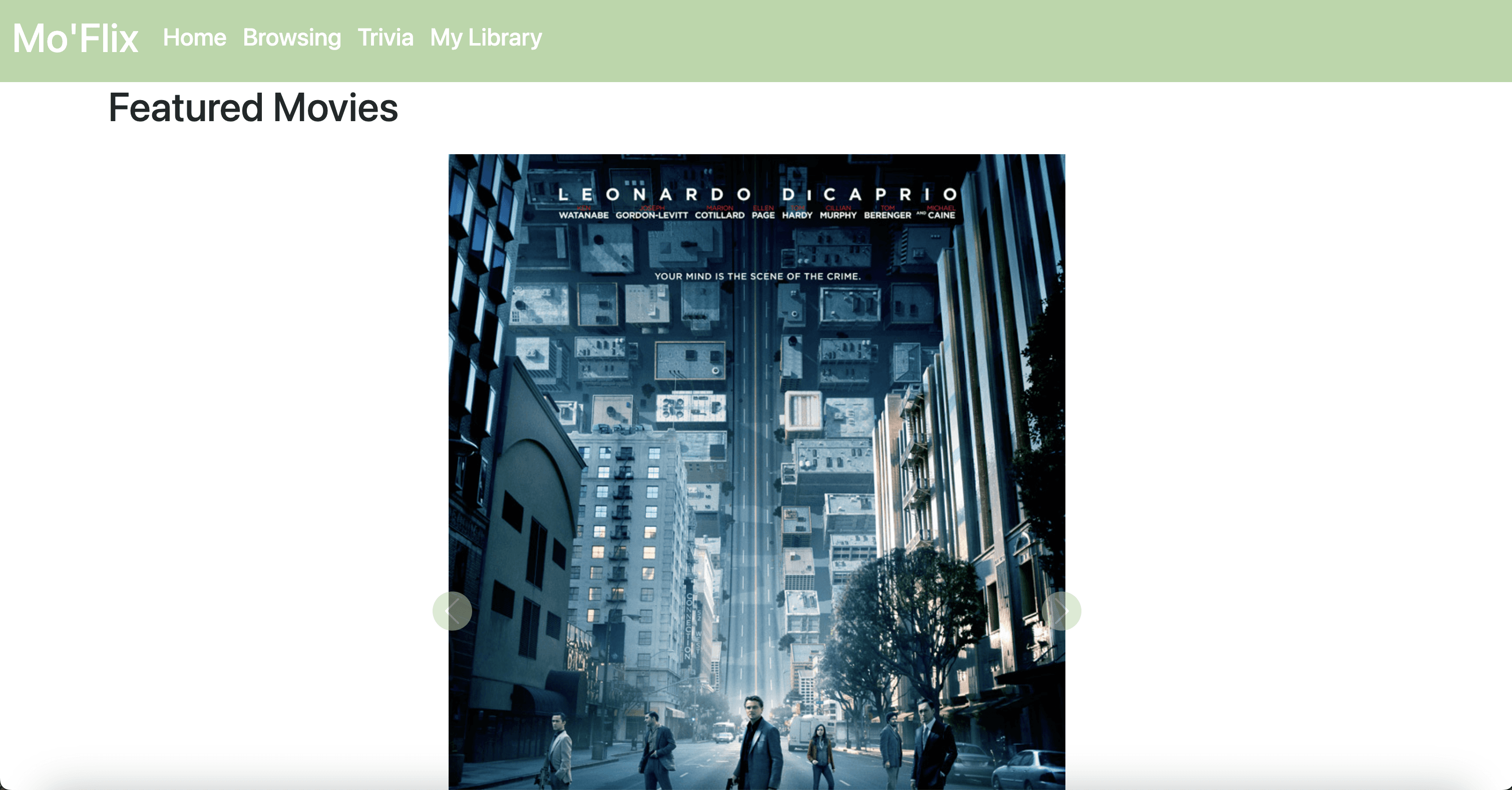
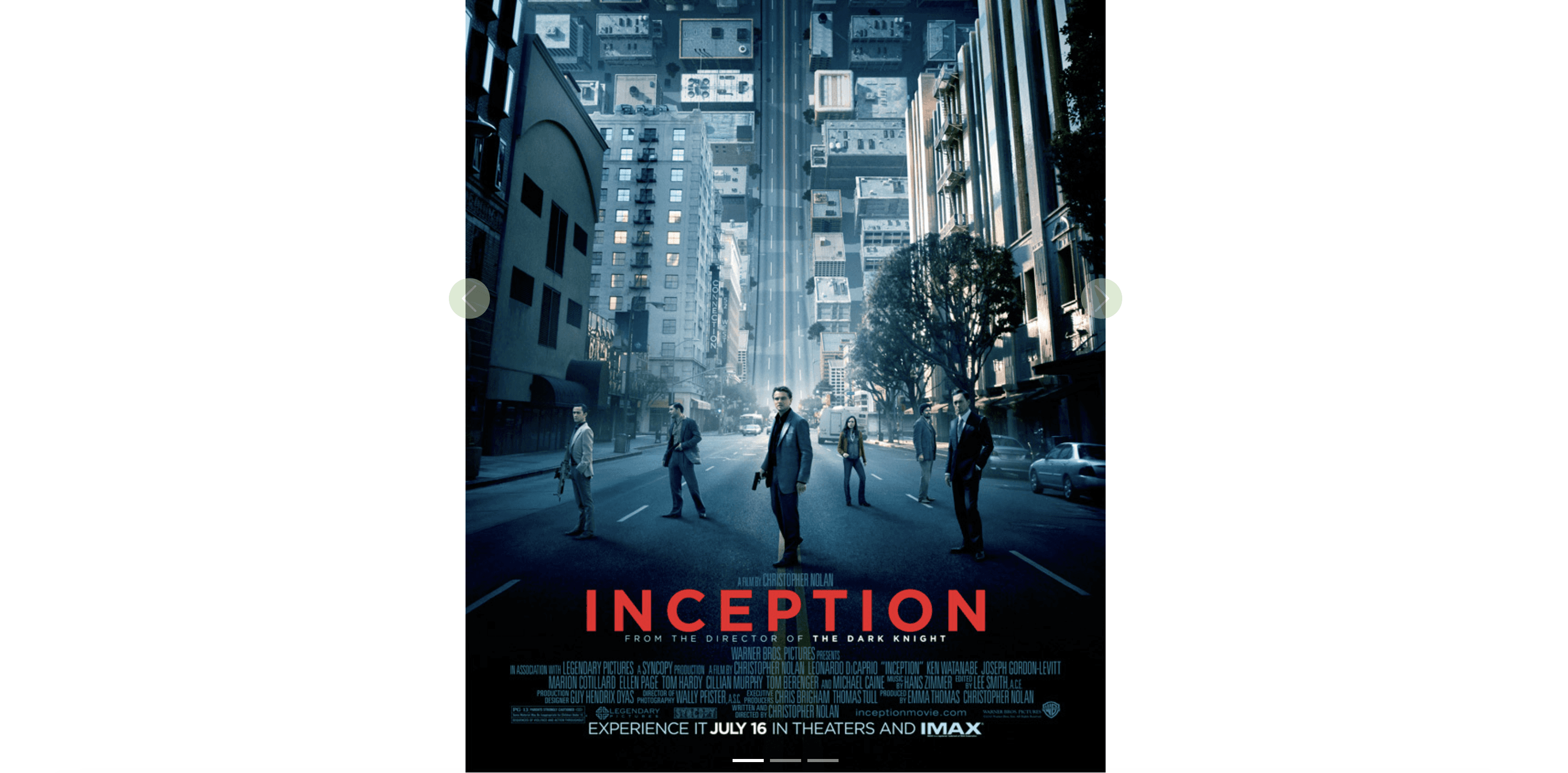
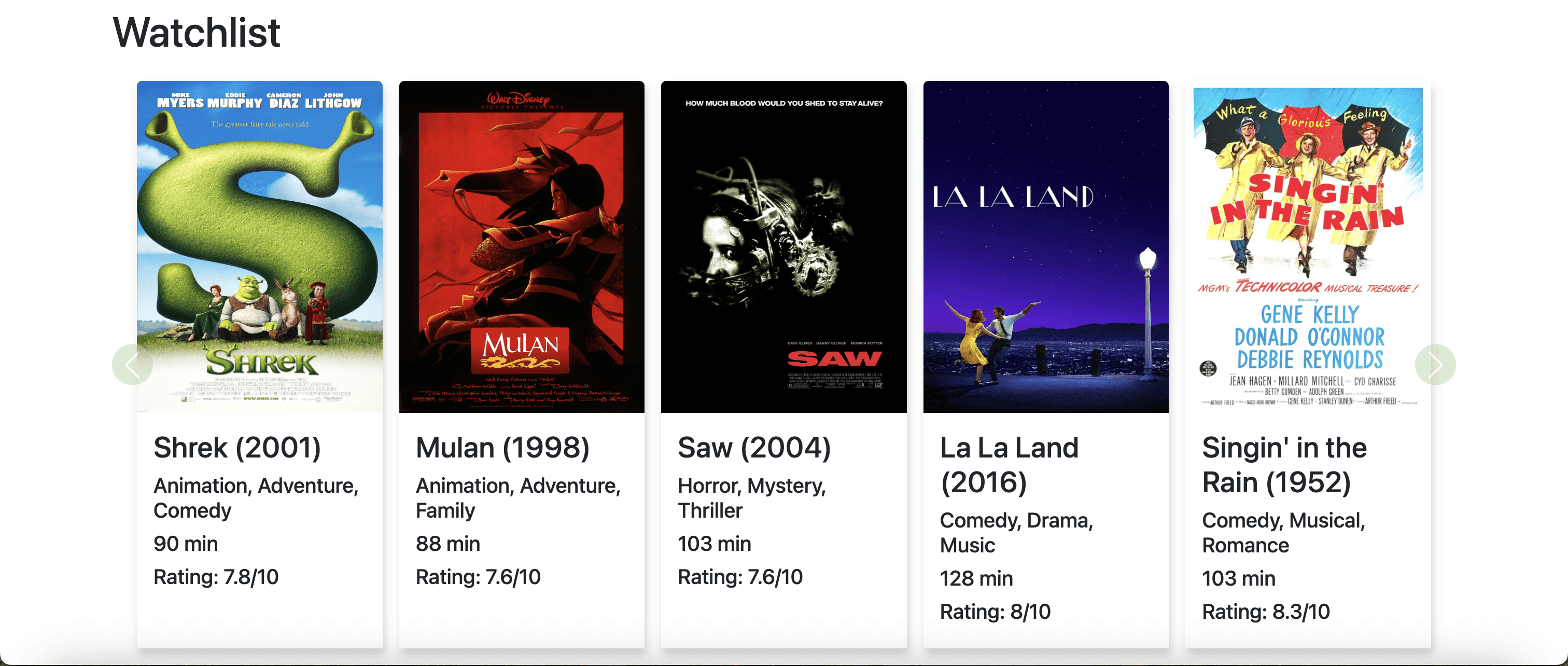
User testing revealed that while participants were able to complete tasks in the original design, they experienced higher mental effort due to unclear visual hierarchy and scattered information. The redesigned interface introduces a stronger hero section, clearer navigation, and more prominent calls to action, helping users quickly understand where to start. In addition, the final design includes a section to create an account and new films of the week instead of a watchlist.
Original Design
Final Design
Final Design
Evaluate